


Overview
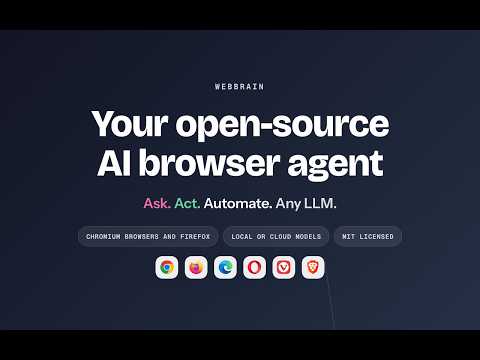
Open-source AI browser agent — chat with pages, automate tasks, multi-provider LLM support.
WebBrain is an open-source AI browser agent for Chrome. Ask questions about pages and PDFs, collect information, and automate web tasks from a side panel beside your tabs. Work in the browser you already use, with your existing website sessions and your choice of AI model. READ, RESEARCH AND GET THINGS DONE • Chat with pages and PDFs: summarize articles, understand documents, translate passages, and ask follow-up questions without copying everything into another app. • Automate browser tasks: describe what you need in plain language. The agent can click, type, fill forms, navigate between pages, and work through multiple steps. • Extract useful data: collect tables, lists, links and page details for research, comparisons and reports. • Schedule tasks and watch pages: run a task later or at a recurring interval, and monitor a page for a condition you specify. Your browser must be running for scheduled work. • Reuse your workflows: save successful runs, teach a workflow by demonstrating actions, and import or export workflows to use again. PRACTICAL TOOLS IN THE SAME SIDE PANEL • Full-page screenshots: capture the visible tab or a full scrollable page and save the image. • Bulk file downloads: download multiple linked files in one task, including documents and images. • Article and video summaries: read New York Times articles and summarize YouTube transcripts through the included reading tools. Availability depends on the source and connected service. • CAPTCHA assistance: connect a supported solving service to help continue tasks blocked by supported challenges. Optional setup and a separate service account are required; charges may apply. CHOOSE WHERE YOUR AI RUNS Start with WebBrain's built-in model without an API key. For local inference, connect to a model running on your computer through LM Studio or Ollama. For cloud models, connect your own API key for OpenAI, Anthropic Claude, Gemini or OpenRouter. Additional connections are available in Settings. STAY IN CONTROL Use Ask mode for read-only questions and Act mode for browser actions. Review a plan before execution with Plan before Act, manage site permissions, and stop a run at any time. Dev mode adds page inspection and debugging tools. Your selected AI service processes the context needed for your request. Local models can keep model inference on your computer; connected reading and CAPTCHA tools use online services. The built-in model's Help Improve WebBrain setting is on by default and can be turned off. See the privacy policy for data-use details. OFFLINE READING, TOO Optional Apocalypse Mode adds offline AI, a Wikipedia reader and a reference library. Download the models and archives first; on-device AI requires compatible WebGPU support. Download sizes vary by model and archive. The extension is free to install. AI and connected services may have separate usage limits or charges. Source code is available under GPL-3.0-or-later. Open the side panel and try: "Summarize this page and list the key facts." Website: https://webbrain.one Privacy: https://webbrain.one/privacy Source and support: https://github.com/webbrain-one/webbrain
4 out of 524 ratings
Details
- Version42.3.1
- UpdatedOctober 21, 2026
- Size29.62MiB
- LanguagesEnglish (United States)
- DeveloperWebsite
Email
esokullu@gmail.com - Non-traderThis developer has not identified itself as a trader. For consumers in the European Union, please note that consumer rights do not apply to contracts between you and this developer.
Privacy

This developer declares that your data is
- Not being sold to third parties, outside of the approved use cases
- Not being used or transferred for purposes that are unrelated to the item's core functionality
- Not being used or transferred to determine creditworthiness or for lending purposes
Support
For help with questions, suggestions, or problems, visit the developer's support site