


Overview
Saves live captions from Google Meet, Teams, Zoom, Webex and more as a transcript, with optional translation.
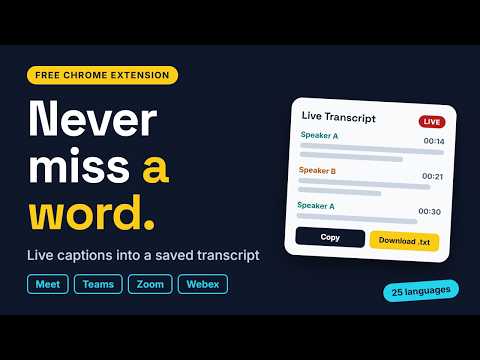
ever miss what was said in a meeting. Live Meeting Transcript turns your meeting's live captions into a clean, saved transcript you can copy or download. HOW IT WORKS 1. Join a meeting in your browser. 2. Turn on captions (CC / Live captions) in the meeting. 3. Click the extension icon to see the transcript build in real time. FEATURES • Works across platforms: Google Meet, Microsoft Teams (web), Zoom (web client), Webex (web), plus a best-effort mode for other meeting sites • Speaker names and timestamps on every line • Transcript is kept if you reload the tab • Copy to clipboard or download as a .txt file • Optional live translation into 25 languages, including Hindi, Punjabi, Urdu, Bengali, Tamil, Spanish, French, German, Arabic, Japanese and more • Optional on-screen translation overlay during the call • Light and dark mode PRIVACY • Your transcript is stored only in your browser and is never sent to our servers. We don't run any. • Translation is off by default. If you turn it on, the caption text is sent to Google Translate to be translated. • No ads, no tracking, no account. GOOD TO KNOW • The extension reads the captions your meeting platform displays, so captions must be turned on. It does not record audio or video. • It works in the browser versions of Teams, Zoom and Webex, not the desktop apps. • Caption accuracy and language depend on the meeting platform. • Meeting sites change their layout from time to time, which may occasionally affect capture on a given platform. Not affiliated with or endorsed by Google, Microsoft, Zoom or Cisco. All product names are trademarks of their respective owners. Created by Rahul Bindal.
0 out of 5No ratings
Details
- Version1.2.0
- UpdatedNovember 10, 2026
- Size48.13KiB
- LanguagesEnglish (United States)
- DeveloperWebsite
Email
rbindal2811@gmail.com - Non-traderThis developer has not identified itself as a trader. For consumers in the European Union, please note that consumer rights do not apply to contracts between you and this developer.
Privacy

This developer declares that your data is
- Not being sold to third parties, outside of the approved use cases
- Not being used or transferred for purposes that are unrelated to the item's core functionality
- Not being used or transferred to determine creditworthiness or for lending purposes
Support
For help with questions, suggestions, or problems, please open this page on your desktop browser