


Overview
Live AI dubbing and video translator for any Chrome tab. Hear videos, lectures and streams in your language in real time.
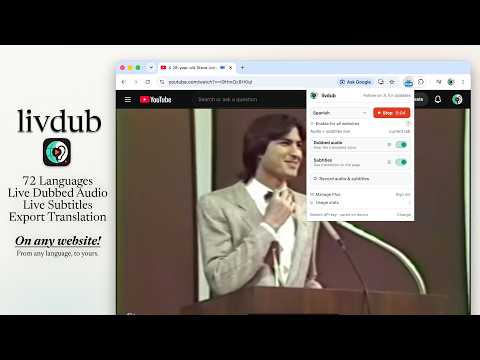
Hear any video in your language, live. Livdub is a live dubbing extension and AI video translator for Chrome. It dubs the audio playing in your tab (YouTube videos, news, lectures, streams, podcasts, webinars) into 78 languages in real time, while the original page keeps playing. Not subtitles: you hear spoken audio in your language. No upload, no waiting. Setup guide: https://livdub.com HOW IT WORKS 1. Install Livdub and open a tab with audio or video. 2. Get a free Gemini API key from Google AI Studio (https://aistudio.google.com/). 3. Paste the key into Livdub. It stays on your device; Livdub never sees it. 4. Pick a language and press Start. 5. Hear the dubbed track live while the original page keeps playing. Audio is captured from that tab on your computer and sent straight to Google Gemini Live Translate under your key. Livdub servers are not on the live translation path and do not store site audio for replay. FREE • Live AI dubbing in 78 languages • 45 active minutes per UTC day, plus a 5-minute grace period (qualifying early users keep a higher daily allowance) • No Livdub account • Your Gemini key and live audio stay off Livdub servers LIVDUB PLUS (optional) Unlimited dubbing and watch tools: • Unlimited live dubbing • Translated or bilingual captions, with placement and styling • Save dubbed audio as MP3 and captions as VTT • Two registered devices, one session at a time PRIVACY • Gemini key stored only in the extension • Tab audio and dubbed audio never go to Livdub • Free stays anonymous • Plus uses Google sign-in with email only: no profile, Drive, or browsing history • Anonymous usage stats (no page titles, no full URLs) You need Chrome 116+ and a tab that is actually playing sound. Chrome system pages cannot be captured. Not affiliated with Google. Gemini is a trademark of Google LLC. Website: https://livdub.com Privacy: https://livdub.com/privacy Terms: https://livdub.com/terms Support: support@livdub.com
4.6 out of 581 ratings
Details
- Version1.0.6
- UpdatedNovember 11, 2026
- FeaturesOffers in-app purchases
- Size307KiB
- Languages51 languages
- DeveloperWebsite
Email
support@livdub.com - Non-traderThis developer has not identified itself as a trader. For consumers in the European Union, please note that consumer rights do not apply to contracts between you and this developer.
Privacy

Livdub – Live Video Dubbing & Translator has disclosed the following information regarding the collection and usage of your data. More detailed information can be found in the developer's privacy policy.
Livdub – Live Video Dubbing & Translator handles the following:
This developer declares that your data is
- Not being sold to third parties, outside of the approved use cases
- Not being used or transferred for purposes that are unrelated to the item's core functionality
- Not being used or transferred to determine creditworthiness or for lending purposes
Support
For help with questions, suggestions, or problems, please open this page on your desktop browser