


Overview
Reads any page out loud in a natural voice as every word lights up. Articles, Google Docs, PDFs, Gmail. 30-day money-back guarantee.
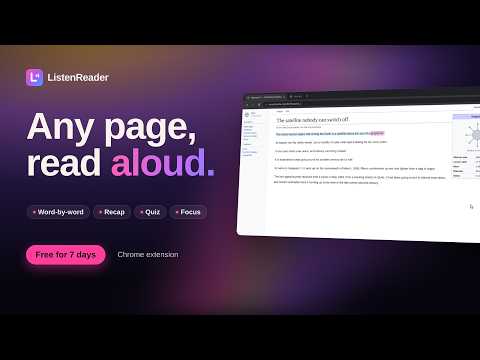
ListenReader reads any web page out loud in a natural voice while every word lights up as it's spoken. Works on articles, Google Docs and Gmail. You can also open a PDF, an EPUB book or a photo of a page and hear it read out loud. (Word highlighting works on web pages.) New in 1.5.10 - Free week: 7 days, 30 minutes of listening a day, no card needed - Recaps and answers now play on sites that used to block the audio, like GitHub - New play and pause controls that are easier to see and hit - Sign in with your email after your first listen to keep listening all week What you can do - Pick from 6 natural voices and set your speed - Recap: highlight any part of a page and get a short, plain explanation, read out loud - Ask follow-up questions in a quick chat, and every answer is read to you - Quiz me: a few quick questions on what you just heard - Page overview: the main points of a page, with "Show me on the page" - Save any article as an MP3 to listen to later - Focus mode dims the rest of the page so you can follow along - Choose how words light up: bubble, underline or outline, by word or by sentence, in your own colors How to use it 1. Open any article 2. Click the ListenReader button on the right side of the page, or the toolbar icon 3. Press play Plans - Free week: 7 days, 30 minutes a day, no card - Listen Pro: $6.99 a month for hours of listening every day and all 6 voices. Full refund within 30 days. Cancel anytime. Works in Google Chrome on a computer. Questions or problems? Email listenextension@gmail.com
5 out of 52 ratings
Details
- Version1.5.10
- UpdatedNovember 9, 2026
- FeaturesOffers in-app purchases
- Size634KiB
- LanguagesEnglish
- DeveloperArchil PaulinWebsite
7034 Kindred Street Philadelphia, PA 19149 USEmail
listenextension@gmail.comPhone
+1 267-889-6822 - TraderThis developer has identified itself as a trader per the definition from the European Union and committed to only offer products or services that comply with EU laws.
Privacy

ListenReader — Natural Read Aloud has disclosed the following information regarding the collection and usage of your data. More detailed information can be found in the developer's privacy policy.
ListenReader — Natural Read Aloud handles the following:
This developer declares that your data is
- Not being sold to third parties, outside of the approved use cases
- Not being used or transferred for purposes that are unrelated to the item's core functionality
- Not being used or transferred to determine creditworthiness or for lending purposes
Support
For help with questions, suggestions, or problems, visit the developer's support site