Item logo image for ListenReader — Natural Read Aloud

ListenReader — Natural Read Aloud

listenreader.cc
5.0(

2 ratings

)
Item media 5 (screenshot) for ListenReader — Natural Read Aloud
Item media 6 (screenshot) for ListenReader — Natural Read Aloud
Item video thumbnail
Item media 2 (screenshot) for ListenReader — Natural Read Aloud
Item media 3 (screenshot) for ListenReader — Natural Read Aloud
Item media 4 (screenshot) for ListenReader — Natural Read Aloud
Item media 5 (screenshot) for ListenReader — Natural Read Aloud
Item media 6 (screenshot) for ListenReader — Natural Read Aloud
Item video thumbnail
Item media 2 (screenshot) for ListenReader — Natural Read Aloud
Item video thumbnail
Item media 2 (screenshot) for ListenReader — Natural Read Aloud
Item media 3 (screenshot) for ListenReader — Natural Read Aloud
Item media 4 (screenshot) for ListenReader — Natural Read Aloud
Item media 5 (screenshot) for ListenReader — Natural Read Aloud
Item media 6 (screenshot) for ListenReader — Natural Read Aloud

Overview

Reads any page out loud in a natural voice as every word lights up. Articles, Google Docs, PDFs, Gmail. 30-day money-back guarantee.

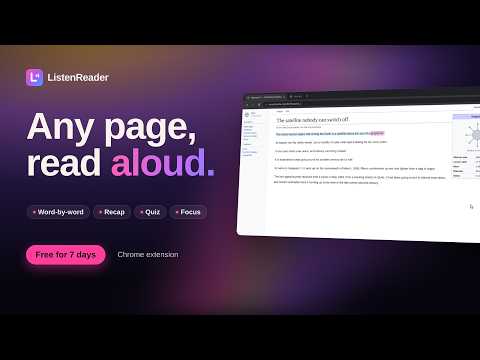
ListenReader reads any web page out loud in a natural voice while every word lights up as it's spoken. Works on articles, Google Docs and Gmail. You can also open a PDF, an EPUB book or a photo of a page and hear it read out loud. (Word highlighting works on web pages.) New in 1.5.10 - Free week: 7 days, 30 minutes of listening a day, no card needed - Recaps and answers now play on sites that used to block the audio, like GitHub - New play and pause controls that are easier to see and hit - Sign in with your email after your first listen to keep listening all week What you can do - Pick from 6 natural voices and set your speed - Recap: highlight any part of a page and get a short, plain explanation, read out loud - Ask follow-up questions in a quick chat, and every answer is read to you - Quiz me: a few quick questions on what you just heard - Page overview: the main points of a page, with "Show me on the page" - Save any article as an MP3 to listen to later - Focus mode dims the rest of the page so you can follow along - Choose how words light up: bubble, underline or outline, by word or by sentence, in your own colors How to use it 1. Open any article 2. Click the ListenReader button on the right side of the page, or the toolbar icon 3. Press play Plans - Free week: 7 days, 30 minutes a day, no card - Listen Pro: $6.99 a month for hours of listening every day and all 6 voices. Full refund within 30 days. Cancel anytime. Works in Google Chrome on a computer. Questions or problems? Email listenextension@gmail.com

Details

  • Version
    1.5.10
  • Updated
    November 9, 2026
  • Features
    Offers in-app purchases
  • Size
    634KiB
  • Languages
    English
  • Developer
    Archil Paulin
    7034 Kindred Street Philadelphia, PA 19149 US
    Website
    Email
    listenextension@gmail.com
    Phone
    +1 267-889-6822
  • Trader
    This developer has identified itself as a trader per the definition from the European Union and committed to only offer products or services that comply with EU laws.

Privacy

Manage extensions and learn how they're being used in your organization

ListenReader — Natural Read Aloud has disclosed the following information regarding the collection and usage of your data. More detailed information can be found in the developer's privacy policy.

ListenReader — Natural Read Aloud handles the following:

Personally identifiable information
Authentication information
User activity
Website content

This developer declares that your data is

  • Not being sold to third parties, outside of the approved use cases
  • Not being used or transferred for purposes that are unrelated to the item's core functionality
  • Not being used or transferred to determine creditworthiness or for lending purposes

Support

For help with questions, suggestions, or problems, visit the developer's support site

Related

Audister: Text to Speech & PDF Read Aloud

5.0

Read web pages, articles & PDFs aloud with natural Text to Speech (TTS) voices. 100% offline. No subscription.

PNL Reader: read quietly or read aloud

4.4

Read any webpage quietly with dark mode, artistic fonts or read it aloud with natural sounding voices 📖

ReadAloud AI — Natural Voice Reader

5.0

Listen to webpages with natural neural voices and follow every spoken word with precise on-page highlighting.

Text to Speech — Read Aloud Any Page

3.0

Read any webpage aloud with natural voices. Lightweight, private, works offline.

Read Aloud

5.0

Smart text-to-speech with AI summaries, reading queue, focus mode, history, and more.

ReadClear — Dyslexia Font, Bionic Reading, Reading Ruler & Text to Speech

5.0

Text to speech reader with dyslexia-friendly fonts, bionic reading, color tints and a reading ruler for ADHD. No account needed.

Read Out Loud

4.6

Use Read out loud to read aloud on any site. This online TTS tool lets you enjoy text to speech and read text out loud easily.

Verbally Reader: AI Turns Any Page Into a Language Session

5.0

You finished the app. Real pages still lose you. Turn any page you choose into a full language session. No account to try it.

BookVoice - Natural Read Aloud

5.0

Reads web pages and ebooks aloud with a natural neural voice (Kokoro TTS). Runs 100% locally on your GPU.

Text to Speech - AI Voice Generator

1.0

Best Text to Speech Chrome extension. Convert text into natural AI voice audio with emotional styles, multilingual voices,…

Read Aloud: Offline Text to Speech for PDF, Docs & Word - Readalix

4.4

Text to speech that reads any page aloud and highlights every word as it is spoken. Free TTS for web pages, PDF, Docs and Word.

Read to Me

4.3

Use Read to Me, a Chrome extension that reads any webpage or PDF aloud with natural AI text to speech.

Audister: Text to Speech & PDF Read Aloud

5.0

Read web pages, articles & PDFs aloud with natural Text to Speech (TTS) voices. 100% offline. No subscription.

PNL Reader: read quietly or read aloud

4.4

Read any webpage quietly with dark mode, artistic fonts or read it aloud with natural sounding voices 📖

ReadAloud AI — Natural Voice Reader

5.0

Listen to webpages with natural neural voices and follow every spoken word with precise on-page highlighting.

Text to Speech — Read Aloud Any Page

3.0

Read any webpage aloud with natural voices. Lightweight, private, works offline.

Read Aloud

5.0

Smart text-to-speech with AI summaries, reading queue, focus mode, history, and more.

ReadClear — Dyslexia Font, Bionic Reading, Reading Ruler & Text to Speech

5.0

Text to speech reader with dyslexia-friendly fonts, bionic reading, color tints and a reading ruler for ADHD. No account needed.

Read Out Loud

4.6

Use Read out loud to read aloud on any site. This online TTS tool lets you enjoy text to speech and read text out loud easily.

Verbally Reader: AI Turns Any Page Into a Language Session

5.0

You finished the app. Real pages still lose you. Turn any page you choose into a full language session. No account to try it.

Search
Clear search
Close search
Google apps
Main menu