


Overview
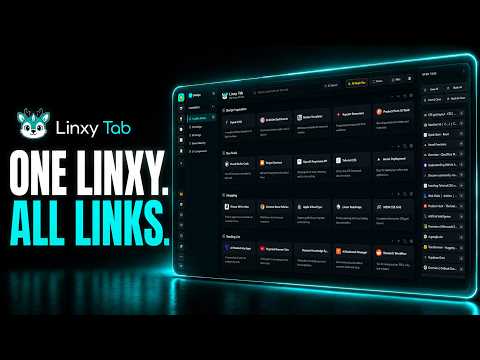
Transform your new tab into a visual bookmark dashboard. Organize beautifully, search with AI, and sync privately via WebDAV.
Linxy Tab — Save it now. Find it again when it actually matters. Useful pages should not disappear into a wall of open tabs or a bookmark folder you never revisit. With Linxy Tab, you can save first without interrupting your flow, then come back later to search, organize, review, or rediscover what you kept. Linxy Tab turns Chrome’s new tab page into a local-first personal knowledge workspace. It can hold webpages, notes, tasks, code, prompts, RSS and more — with optional AI, Ollama, WebDAV, phone sync, and Linxy Desktop when you need them. ────────────────────────────── 📥 Save first. Organize later. The best information usually appears while you are already busy. Linxy Tab lets you: • Save instantly with Alt+S • Save from the right-click menu • Save from the extension popup • Save every tab in the current window in one action • Save and close tabs to clear browser clutter without losing the session • Drop unsorted items into an Inbox when you do not want to decide where they belong yet • Move things later into the right Space, Collection, and Group • Detect when the same content has already been saved, helping reduce accidental duplicates • Use multi-select and batch actions for organization, including bulk restore or delete in Trash You can organize your library as: Space → Collection → Group But you do not have to classify everything the moment you save it. The idea is simple: keep what matters first. Tidy it up when you have time. ────────────────────────────── 🔎 The real value of saving is being able to find it again A library only becomes useful when you can get back to the right thing later. Linxy gives you several ways to rediscover what you have collected: • Remember the title or a keyword? Use regular search. • Remember the idea, but not the exact wording? Use optional AI semantic search. • Want to understand how your library is structured? Open the visual Knowledge Map. • Want older, long-unvisited saves to surface again? Use Knowledge Review. • Want to see what you were saving during a certain period? Browse Linxy Timeline by saved date. You do not need to learn names like “Knowledge Map,” “Knowledge Review,” or “Linxy Timeline” before using them. They all solve the same basic problem: “I know I saved this somewhere. How do I get back to it?” Knowledge Review resurfaces long-unvisited items so useful older material does not stay buried forever. Linxy Timeline arranges saved content by time so you can look back at what you were collecting during a particular period. ────────────────────────────── 🌌 Keep a growing library understandable Linxy is more than a long list of URLs. Saved webpages become visual cards that can retain useful context such as: • Site icon • Title • Description • Domain • Saved time Everyday organization also includes: • Drag-and-drop rearranging • Favorites • Recent Visits • Trash with restore • Focus mode that hides sidebars to reduce distraction while browsing your library • Organization Center for checking the overall state of your library • Duplicate, stale, and potentially invalid-link checks • Review-before-action cleanup flows Invalid-link detection can produce false positives, so it is still a good idea to verify results before deleting anything. AI organization suggestions are not silently applied behind your back. ────────────────────────────── 🛠️ More than webpages: 10 card types for different kinds of information Linxy Tab supports 10 card types: 1. Link 2. Note 3. Todo 4. Countdown / Anniversary 5. Image 6. Code 7. Prompt 8. Webhook Automation 9. RSS 10. Creator Subscription That means one workspace can hold research links, quick notes, reminders, reusable prompts, code references, images, RSS feeds, webhook automations, and creator subscriptions — without forcing everything into the shape of a bookmark. ────────────────────────────── 🤖 AI is optional You do not need AI to use Linxy. Saving, browsing, organizing, drag-and-drop, text search, Trash, import/export, and other core workflows still work without it. If you do want AI, you can connect a compatible provider of your choice or use a local Ollama setup. AI-assisted capabilities include: • Semantic search when you remember the meaning rather than the exact words • Improving a card title and description • AI-assisted emoji suggestions • AI organization • Batch optimization at Group, Collection, and Space level • Options to process only items that have not been optimized yet, or overwrite existing results when needed • AI Task Console for task progress, partial-success states, and safe undo in supported workflows • AI Review, where you can inspect organization suggestions before deciding whether to apply them • Linxy Assistant for natural-language search, navigation, and supported extension actions • “Ask Linxy” for lightweight analysis and explanation in supported situations • Batch workflows in the automation area The goal is to make it faster to organize and reuse your knowledge — not to let AI make silent decisions for you. ────────────────────────────── 🗺️ See the shape of your knowledge Lists are not always the easiest way to understand a large personal library. Knowledge Map gives you a visual view of your saved structure so you can see where information is concentrated, which themes keep growing, and which areas may need reorganizing. You can export the Knowledge Map as an image (JPG / PNG) or PDF for saving, presenting, or sharing the structure of your library. Organization Center complements that view by helping you inspect library health, review duplicates or stale content, inspect AI organization suggestions, and carry out cleanup after confirmation. ────────────────────────────── 🕰️ Mistakes should have a way back When you organize a lot of saved material, the biggest fear is often not the work itself — it is “what if I change the wrong thing?” Linxy includes several recovery layers: • Trash for everyday deletion and restore • Time Machine with local history snapshots • Daily, weekly, and monthly snapshot tiers • Automatic local protection snapshots before higher-risk overwrite operations • History browsing and restore • Undo of the most recent restore in supported flows • Integrity checks, conflict protection, and rollback behavior to reduce the risk of half-completed writes The goal is not to promise that mistakes can never happen. It is to make them much less likely to become irreversible. ────────────────────────────── 🔄 WebDAV for backup, recovery, and automatic sync If you want an additional copy of your library under your own control, you can connect WebDAV. Supported workflows include: • Saving, editing, and deleting WebDAV configuration • Requesting only the HTTPS host permission needed for the service you choose • Connection testing • Manual backup • Manual restore • Force Push / Pull • AutoSync • Conflict and integrity protection You can also enter the WebDAV address of a NAS or self-hosted server and use the corresponding configuration profile. So you can use a regular WebDAV provider, or point Linxy at storage you manage yourself, as long as it exposes a compatible WebDAV endpoint. ────────────────────────────── 📱 Sync your whole library to your phone Send to Phone is not limited to the page you are currently viewing. It syncs your current Linxy library and preserves its organization: Space → Collection → Group → Card For first-time pairing, you can: • Scan a QR code • Enter a 6-digit direct connection code A paired device can be remembered so reconnecting later is faster. Bookmark content travels through a WebRTC peer-to-peer data channel. Connection setup may use signaling, STUN, or TURN infrastructure. The phone stores the received data locally, and you can clear it there when you want. The session is temporary and ends when you close the Send to Phone panel. Linxy does not silently keep sending your library in the background. ────────────────────────────── 📦 Knowledge Pack: put your whole library into one local file You can export your entire Linxy library to a local `.linxy` file and import it back later. A Knowledge Pack preserves: • Spaces • Collections • Groups • Cards • Stable Card IDs It does not package credentials such as API keys. This is useful when you want to: • Keep a portable local copy • Move your Linxy library between environments • Re-import it later Export and import are local file operations. If you choose to move or share that file through another service, that is up to you. ────────────────────────────── 🖥️ Optional Linxy Desktop: bring your saved knowledge into desktop and AI workflows The browser extension works on its own. Linxy Desktop is optional. Linxy Desktop Beta 0.1.0 is a separately installed local companion for Windows x64. When connected, the browser extension and Linxy Desktop keep your saved knowledge in sync through local Native Messaging, including your Space, Collection, and Group structure. This Extension ↔ Desktop sync path runs locally on your computer. Desktop can: • Maintain a local database and search index • Let you browse and search Linxy knowledge from the desktop • Make that local knowledge readable by supported MCP-compatible AI tools A practical example: While working in Codex, Claude Desktop, Cursor, GitHub Copilot / VS Code, TRAE, or other supported AI tools, you can let the tool read relevant information you already saved in Linxy — reducing the need to keep jumping back to the browser to search, copy, and paste context manually. Linxy Desktop currently supports 10 AI tools. Three support one-click setup; the rest can be configured with guided manual setup. Linxy Desktop exposes 4 read-only MCP tools for: • Checking status • Searching saved content • Reading a card • Reading saved context These MCP tools are read-only. They do not create, modify, or delete your Linxy data. Linxy is an independent product. Compatibility with third-party AI tools does not imply official affiliation, partnership, or endorsement. ────────────────────────────── 🔒 Local-first by default By default: • Bookmarks and cards are stored locally in your browser • Settings are stored locally • API keys and sync credentials are stored locally • Core use does not require an account • AI services are only used when you configure and invoke them • WebDAV is only used when you configure it • Time Machine restore runs locally • Send to Phone only starts when you initiate it • Desktop is a local, optional companion Linxy does not sell user data or track your full browsing history to build advertising profiles. ────────────────────────────── ✨ What V1.2.0 focuses on: making saved knowledge useful again V1.2.0 is not just about adding more buttons. It is about making the knowledge you already saved easier to rediscover, move, and reuse. Highlights include: • Knowledge Review for resurfacing long-unvisited saves • Linxy Timeline for browsing past saves by time • Knowledge Pack for full-library `.linxy` export and import • Send to Phone with full-library structure sync, QR pairing, 6-digit pairing, and remembered-device reconnection • Optional Linxy Desktop Beta connection • Local desktop knowledge access through 4 read-only MCP tools • Reliability and data-safety improvements around organization, duplicate handling, Trash, Time Machine, and WebDAV • Ongoing provider and Ollama compatibility improvements ────────────────────────────── 🌐 Linxy does not replace your Chrome default search engine Web search from Linxy’s new tab page uses the Chrome Search API and your browser’s current default search engine. Linxy does not replace, hijack, or redirect Chrome’s default search engine. ────────────────────────────── 📌 Ways people can use Linxy • Save every tab in the current window before closing Chrome • Stop keeping dozens of tabs open “for later” • Build a long-term reference library for work, study, writing, design, or development • Keep webpages, notes, code, prompts, and tasks in one organized system • Use AI to find something when you only remember the general idea • Let useful material from months ago resurface • Look back at what you saved during a particular period • Batch-organize saved content and review duplicates or stale items • Use Time Machine and Trash to reduce the risk of accidental loss • Use WebDAV for manual backup or automatic sync • Connect your own storage when a NAS or self-hosted server exposes a compatible WebDAV endpoint • Sync your whole library and hierarchy to your phone • Export the whole library to a local `.linxy` file • Keep a local Desktop copy of your knowledge • Let supported MCP-compatible AI tools read your Linxy knowledge when you choose ────────────────────────────── 💬 Frequently asked questions Do I need an account? No. Core use can start locally without an account. Is AI required? No. AI is completely optional. You can still save, organize, search, and recover your library without it. Can I use my own AI provider? Yes. You can configure a compatible AI service or use local Ollama. Where is my data stored by default? Bookmarks, cards, settings, and other core data are stored locally in your browser by default. AI, WebDAV, Send to Phone, and Desktop connections are only used when you configure or trigger them. Can I save more than webpages? Yes. Linxy also supports notes, todos, countdowns / anniversaries, images, code, prompts, Webhook Automation, RSS, and Creator Subscription cards. Does Send to Phone only send the current page? No. It syncs your current library, including its Space, Collection, Group, and Card structure. Do I need Linxy Desktop? No. Desktop is an optional separate companion. The browser extension works independently. Can connected AI tools modify my Linxy library? Not through the current MCP tools. They are read-only and can query or read Linxy data, but they cannot create, modify, or delete it. Does Linxy change Chrome’s default search engine? No. ────────────────────────────── 🌍 Available in 7 interface languages English, 中文, 日本語, 한국어, Español, Deutsch, Français.
0 out of 5No ratings
Details
- Version1.3.0
- UpdatedSeptember 23, 2026
- FeaturesOffers in-app purchases
- Size8.53MiB
- Languages7 languages
- DeveloperWebsite
Email
hello@linxytab.com - Non-traderThis developer has not identified itself as a trader. For consumers in the European Union, please note that consumer rights do not apply to contracts between you and this developer.
Privacy

Linxy Tab has disclosed the following information regarding the collection and usage of your data. More detailed information can be found in the developer's privacy policy.
Linxy Tab handles the following:
This developer declares that your data is
- Not being sold to third parties, outside of the approved use cases
- Not being used or transferred for purposes that are unrelated to the item's core functionality
- Not being used or transferred to determine creditworthiness or for lending purposes
Support
For help with questions, suggestions, or problems, visit the developer's support site