


Overview
AI autocomplete + Quick Edit for ChatGPT, Claude, & Gemini. Smart suggestions as you type & instant improvements.
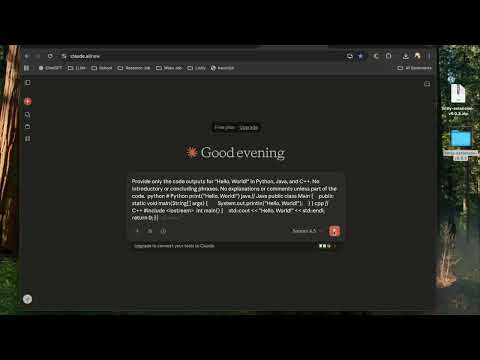
🚀 BETA FEATURES • AI Autocomplete: See smart ghost text suggestions as you type in ChatGPT, Claude, and Gemini • Quick Edit: Instantly improve your prompts with AI-powered revisions and enhancements 🎯 HOW IT WORKS • Autocomplete: Start typing in ChatGPT/Claude/Gemini and Lintly will suggest completions in gray ghost text. Press Tab to accept or keep typing to ignore. • Quick Edit: Select text in your prompt and click Cmd + L. Prompt to get an AI-powered metaprompt suggestion to make your prompt clearer, more specific, or better structured. ✨ PERFECT FOR • Power users who write lots of ChatGPT/Claude/Gemini prompts • Anyone who wants to type faster and more efficiently • People who love Cursor/Copilot-style autocomplete in their workflow 📝 BETA NOTES • Now supports ChatGPT, Claude, and Gemini! More platforms and features coming soon! Requires free Lintly account (sign up at lintly.dev).
5 out of 51 rating
Details
- Version0.0.4
- UpdatedOctober 22, 2025
- FeaturesOffers in-app purchases
- Size34.66KiB
- LanguagesEnglish
- DeveloperWebsite
Email
hi@lintly.dev - Non-traderThis developer has not identified itself as a trader. For consumers in the European Union, please note that consumer rights do not apply to contracts between you and this developer.
Privacy

Lintly - Cursor for Chrome has disclosed the following information regarding the collection and usage of your data. More detailed information can be found in the developer's privacy policy.
Lintly - Cursor for Chrome handles the following:
This developer declares that your data is
- Not being sold to third parties, outside of the approved use cases
- Not being used or transferred for purposes that are unrelated to the item's core functionality
- Not being used or transferred to determine creditworthiness or for lending purposes