

LinkXtract — YouTube Link & Playlist Extractor
1 rating
)
Overview
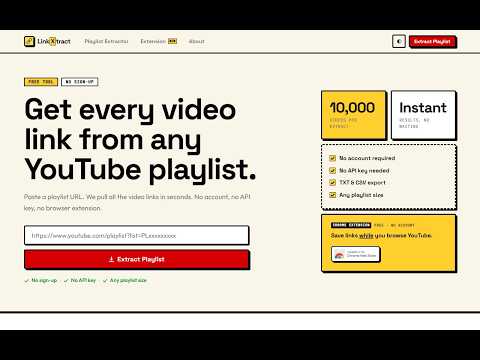
Capture YouTube links while browsing. Save videos, Shorts, playlists & channels. Bulk-extract playlist videos. Export as CSV or TXT.
You're on YouTube. You find a video worth saving. You open a new tab, copy the URL, switch back... and you've lost your place twice already. LinkXtract fixes that. Turn on capture mode from the popup or press the hotkey (Alt+Shift+L by default — you can change it). From that point, just hover over any video, Short, playlist, or channel card on YouTube and press your hotkey. The link saves instantly with the thumbnail, title, and a timestamp. The thumbnail is what makes this useful. A raw URL tells you nothing three hours later. But when you open the popup and see the actual video thumbnail next to each link, you know immediately which one is which — even after saving 30 links across a session. WHAT YOU CAN CAPTURE — Regular videos and YouTube Shorts — Full playlists (saves the playlist URL) — Channel pages MANAGE YOUR COLLECTION The popup shows every saved link with its thumbnail, type label (video, Short, playlist, channel), and how long ago you captured it. Copy a single URL, open it in YouTube, or remove it — all from the popup. When you're done, copy all links at once or export. CSV includes video titles, URLs, types, and timestamps — useful for resource lists, client work, or course materials. TXT exports URLs only, one per line. PLAYLIST BULK EXTRACTOR Open any YouTube playlist page and a button appears directly on the page. Click it and every video URL in that playlist copies to your clipboard in about two seconds. HOW IT WORKS 1. Install the extension and open YouTube 2. Click the extension icon to toggle capture mode ON, or press Alt+Shift+L 3. Hover over any video, Short, playlist, or channel card 4. Press your hotkey — the link saves with its thumbnail and title 5. Open the popup to manage, copy, or export your links Nothing leaves your device. No account. No tracking. Your links stay in your browser until you clear them.
5 out of 51 rating
Details
- Version1.8.5
- UpdatedAugust 14, 2026
- Offered byBasant Bhat
- Size70.78KiB
- LanguagesEnglish
- DeveloperBasant Bhat
shyam vihar 110043 new delhi, Delhi 110043 INEmail
thebasantbhat@gmail.com - Non-traderThis developer has not identified itself as a trader. For consumers in the European Union, please note that consumer rights do not apply to contracts between you and this developer.
Privacy

This developer declares that your data is
- Not being sold to third parties, outside of the approved use cases
- Not being used or transferred for purposes that are unrelated to the item's core functionality
- Not being used or transferred to determine creditworthiness or for lending purposes
Support
For help with questions, suggestions, or problems, visit the developer's support site