


Overview
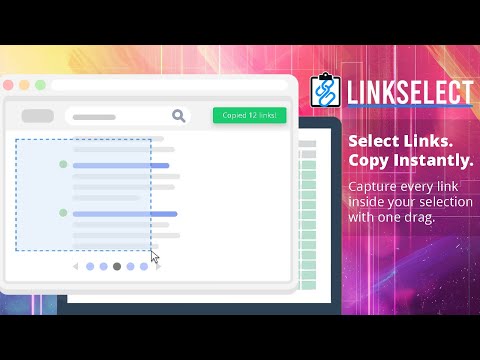
Press Z to intiate, select an area to highlight links, title and URL copies into memory. Pro version auto pastes into sheets.
LinkSelect makes bulk link collection effortless. Instead of copying links one by one, simply press the Z key (or the key of your choice), drag your mouse to highlight an area on any webpage, and instantly copy every link inside it using this productivity Chrome extension. Perfect for researchers, marketers, SEO professionals, students, and anyone who needs to extract links quickly. How It Works: - Press Z to activate selection mode - A clean overlay appears with a crosshair cursor - Click and drag to draw a selection box over any part of the page - All links inside the box highlight automatically - Release the mouse to instantly copy them - Paste into Google Sheets, Excel, Notion, or a text file What You Get: - Fast link capture from any webpage - Clean tab-separated output: Title [TAB] URL - Auto-scroll support for long pages - Smooth visual feedback for selections and highlights - Clipboard-ready results formatted for spreadsheets - Keyboard controls for quick activation and cancellation Perfect For: - Building prospect lists - Research and data collection - SEO audits - Content curation - Digital marketing workflows - Competitive analysis - Bulk URL extraction for automation tools No Tracking. No Analytics: LinkSelect does not collect, store, or share your data with us. All link data stays in your browser clipboard. Pro features connect directly to your own Google account - we never see or store your data. Make link collection faster, cleaner, and frustration-free. Install LinkSelect and turn any webpage into a link-gathering workspace. ---------------------------------------------------------- LINKSELECT PRO: ---------------------------------------------------------- LinkSelect Pro builds on everything in the free version and streamlines ongoing research workflows. - Includes all features of the free extension - Copy links and your browser automatically pastes them directly into your connected Google Sheet - Connect to multiple Google Sheets - Ideal for continuous research, list building, and data collection without manual pasting LinkSelect Pro is designed for power users who work with links daily and want a faster, more automated workflow. ---------------------------------------------------------- RECENT UPDATES: v1.2.5 - Notifications now show the real Google Spreadsheet name instead of a local nickname v1.2.4 - Fixed Google SERP title extraction issues - New smart title extraction for cleaner link titles - Removes breadcrumb and metadata noise - Handles long titles more gracefully v1.2.3 - Improved Google Sheets reliability - Added error handling for background communication failures - Shows red error when disconnected from Sheets - Better diagnostic messages when Sheets is skipped v1.2.2 - Added option to easily deactivate/activate LinkSelect in the popup window so not to initiate when typing in the browser - Added privacy policy to options window v1.2.1 - Added scroll speed - Added option to change the activation key
0 out of 5No ratings
Details
- Version1.2.5
- UpdatedJanuary 27, 2026
- FeaturesOffers in-app purchases
- Size62.9KiB
- LanguagesEnglish
- DeveloperNSM Worldwide, IncWebsite
7670 Opportunity Rd Suite 255 Suite 255 San Diego, CA 92111-2272 USEmail
chrome@nonstopmarketing.coPhone
+1 619-363-3500 - TraderThis developer has identified itself as a trader per the definition from the European Union and committed to only offer products or services that comply with EU laws.
- D-U-N-S039054356
Privacy

This developer declares that your data is
- Not being sold to third parties, outside of the approved use cases
- Not being used or transferred for purposes that are unrelated to the item's core functionality
- Not being used or transferred to determine creditworthiness or for lending purposes