


Overview
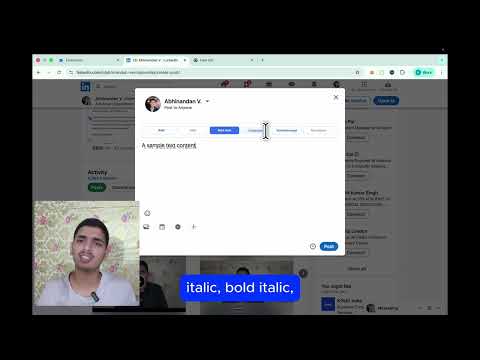
Format your LinkedIn posts with bold, italic, underline, and more Unicode text styles
LinkedIn Text Formatter lets you format your LinkedIn posts with bold, italic, bold italic, underline, strikethrough, and monospace text — directly inside LinkedIn's post editor. Since LinkedIn doesn't natively support rich text formatting, this extension uses Unicode characters to make your posts stand out. Simply select text in the post editor and click a formatting button. You can also use the popup to format and copy text to your clipboard.
0 out of 5No ratings
Details
- Version1.0.0
- UpdatedFebruary 18, 2026
- Size342KiB
- LanguagesEnglish
- DeveloperWebsite
Email
abhinandanverma551@gmail.com - Non-traderThis developer has not identified itself as a trader. For consumers in the European Union, please note that consumer rights do not apply to contracts between you and this developer.
Privacy

Manage extensions and learn how they're being used in your organization
The developer has disclosed that it will not collect or use your data. To learn more, see the developer’s privacy policy.
This developer declares that your data is
- Not being sold to third parties, outside of the approved use cases
- Not being used or transferred for purposes that are unrelated to the item's core functionality
- Not being used or transferred to determine creditworthiness or for lending purposes