


Overview
Quickly tag multiple LinkedIn users in your posts
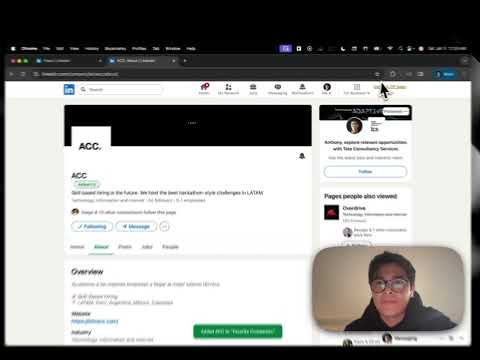
LinkedIn Tag Helper - Bulk Mention Made Easy Tired of manually @mentioning LinkedIn connections one by one? LinkedIn Tag Helper streamlines your workflow by letting you collect profiles and insert multiple tags into your posts with a single click. HOW IT WORKS 1. COLLECT: While browsing LinkedIn, click the "+ Tag" button on any profile or company page to add them to your list 2. ORGANIZE: Create multiple lists to categorize your contacts (e.g., "Team", "Clients", "Event Speakers") 3. INSERT: When composing a post, click "Insert Tags" to add all collected mentions at once KEY FEATURES • One-Click Collection - Add users and companies directly from their LinkedIn profile pages • Multiple Lists - Organize your contacts into separate lists for different purposes • Bulk Insert - Tag multiple people and companies in a single action • Drag & Drop Reordering - Arrange your contacts in the exact order you want them mentioned • Company & User Support - Tag both individual profiles and company/school pages • In-Editor Widget - Insert tags directly from the post composer without opening the popup • Name Truncation - Optionally shorten long names to keep your posts cleaner • Persistent Storage - Your lists are saved locally and persist across browser sessions PERFECT FOR • Content creators who regularly mention team members or collaborators • Event organizers tagging speakers or attendees • Sales professionals acknowledging clients and partners • Community managers engaging with multiple members • Anyone who frequently mentions the same group of people PRIVACY FOCUSED LinkedIn Tag Helper works entirely locally in your browser. No data is sent to external servers - your contact lists are stored only on your device using Chrome's local storage. EASY TO USE Simply install the extension, visit LinkedIn profiles you want to tag, click the "+ Tag" button, and insert your tags when you're ready to post. The intuitive interface makes bulk mentioning effortless. Note: This extension requires an active LinkedIn tab to insert tags. Make sure you have a post composer open when inserting.
5 out of 51 rating
Details
- Version1.0.0
- UpdatedJanuary 5, 2026
- Size25.06KiB
- LanguagesEnglish (United States)
- DeveloperWebsite
Email
anthony@crafterstation.com - Non-traderThis developer has not identified itself as a trader. For consumers in the European Union, please note that consumer rights do not apply to contracts between you and this developer.
Privacy

This developer declares that your data is
- Not being sold to third parties, outside of the approved use cases
- Not being used or transferred for purposes that are unrelated to the item's core functionality
- Not being used or transferred to determine creditworthiness or for lending purposes
Support
For help with questions, suggestions, or problems, visit the developer's support site