

LinkedIn Save to PDF (Ingenarte)
1 rating
)
Overview
Export a clean, print-ready view of your LinkedIn profile as PDF
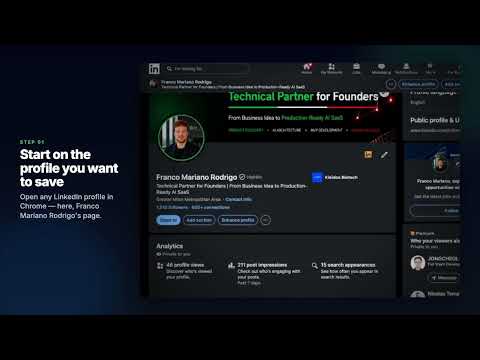
Need a clean PDF of a LinkedIn profile? This extension builds a print-ready document in your browser, even when LinkedIn’s own Save to PDF button is missing. WHY INSTALL • One click for a concise 1-page summary • Full Profile export when you need the complete record (experience, education, skills, and more) • Choose the sections you want: photo, contact, about, experience, education, projects, courses, certifications, skills, languages, honors, publications, and received recommendations • Files save with a clear name, such as linkedin_jane_doe_basicexport_22_08_2026.pdf • Everything stays on your computer. Nothing is uploaded to a remote server HOW TO USE 1. Open a LinkedIn profile (linkedin.com/in/...) 2. Click LinkedIn Save to PDF 3. Choose Export 1-page PDF or Export Full Profile PDF 4. In Chrome’s print dialog, select Save as PDF Full Profile export asks for confirmation first. It then opens that same person’s detail pages in temporary tabs, one at a time, so content hidden behind “see more” or extra pages can appear in the PDF. PRIVACY The extension works locally after you click Export. Your settings stay in Chrome. Temporary print data is removed when the PDF view opens. It only runs on LinkedIn profile pages and does not contact other websites. This extension is unofficial and is not affiliated with or endorsed by LinkedIn.
5 out of 51 rating
Details
- Version1.3.0
- UpdatedAugust 22, 2026
- Offered byIngenarte
- Size150KiB
- LanguagesEnglish
- Developer
Email
contacto.ingenarte@gmail.com - Non-traderThis developer has not identified itself as a trader. For consumers in the European Union, please note that consumer rights do not apply to contracts between you and this developer.
Privacy

This developer declares that your data is
- Not being sold to third parties, outside of the approved use cases
- Not being used or transferred for purposes that are unrelated to the item's core functionality
- Not being used or transferred to determine creditworthiness or for lending purposes
Support
For help with questions, suggestions, or problems, visit the developer's support site