

LinkedIn Message Assistant
1 rating
)
Overview
Draft professional LinkedIn responses with AI assistance
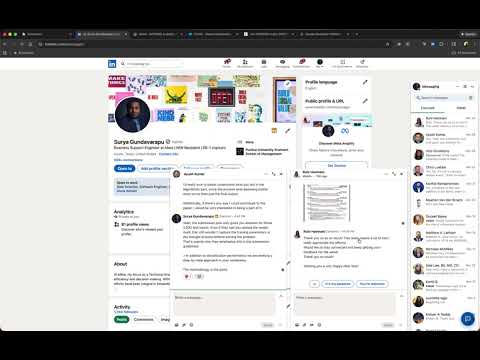
Tired of staring at your LinkedIn inbox? Let AI help you respond faster. Draft professional responses using your favorite AI—Claude, GPT, Gemini, DeepSeek, or Grok. No more writer's block. No more "I'll reply later" guilt. ━━━━━━━━━━━━━━━━━━━━━━━━━━━━━━━━━━━━━━━━ HOW IT WORKS 1. Open any conversation 2. Click the floating assistant button (or press Alt+Shift+L) 3. Describe what you want to say (or pick a template) 4. Generate a response with AI 5. Review, edit, and send ━━━━━━━━━━━━━━━━━━━━━━━━━━━━━━━━━━━━━━━━ What's New in v0.3.0 ✨ New Features • Keyboard shortcut (Alt+Shift+L) to toggle assistant panel • Now supports 5 AI providers • Message length control (Short / Medium / Long) • Native toolbar button on messaging pages • Cold Outreach mode — draft first messages from profile pages ━━━━━━━━━━━━━━━━━━━━━━━━━━━━━━━━━━━━━━━━ FEATURES ✦ AI-Powered Drafting Describe your intent and get a polished reply. Works with all major AI providers. ✦ Conversation Summarization Forgot what you were discussing? Summarize any conversation to quickly catch up. ✦ Works Everywhere Main messaging page, chat bubbles on your feed, profile pages—the assistant follows you. ✦ Cold Outreach Visiting someone's profile? Draft a personalized first message based on their headline. ✦ Multiple Conversations Have several chats open? Switch between them with a simple dropdown. ✦ Quick Templates Pre-built responses for common scenarios: polite decline, request more info, schedule a call. Customize or create your own. ✦ Bring Your Own API Key Your conversations go directly to your AI provider—no middleman, no data collection. ━━━━━━━━━━━━━━━━━━━━━━━━━━━━━━━━━━━━━━━━ PRIVACY FIRST • Zero data collection—no analytics, no tracking • API keys stored locally in your browser only • Conversations sent directly to your chosen provider • Fully open source—audit the code yourself ━━━━━━━━━━━━━━━━━━━━━━━━━━━━━━━━━━━━━━━━ REQUIREMENTS • API key from a supported provider (see extension settings for options) • API usage incurs costs from your provider • The "Open in Claude" feature works without an API key ━━━━━━━━━━━━━━━━━━━━━━━━━━━━━━━━━━━━━━━━ SUPPORT Questions or issues? Visit our GitHub repository. Stop procrastinating. Start responding.
5 out of 51 rating
Details
- Version0.3.0
- UpdatedJanuary 9, 2026
- Offered bysuryagsrnlr32
- Size50.34KiB
- LanguagesEnglish
- Developer
Email
suryagsrnlr32@gmail.com - Non-traderThis developer has not identified itself as a trader. For consumers in the European Union, please note that consumer rights do not apply to contracts between you and this developer.
Privacy

This developer declares that your data is
- Not being sold to third parties, outside of the approved use cases
- Not being used or transferred for purposes that are unrelated to the item's core functionality
- Not being used or transferred to determine creditworthiness or for lending purposes
Support
For help with questions, suggestions, or problems, visit the developer's support site