

LinkedIn Feed Customizer

Overview
Filter, categorize, and customize your LinkedIn feed to focus on high-value content and connections
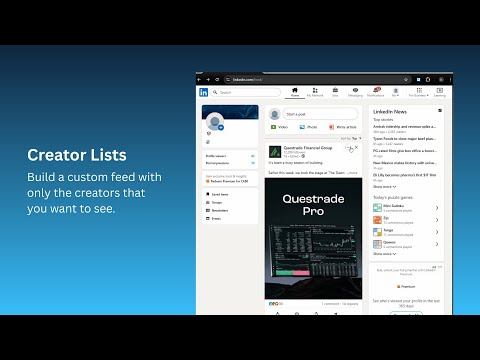
Turn LinkedIn into a high-signal productivity tool. Stop fighting the algorithm. LinkedIn Feed Customizer gives you full control over your feed, allowing you to silence the noise and monitor the specific people who actually impact your business. Unlike other tools that just encourage more scrolling, we help you curate and filter. Whether you are an SDR tracking prospects, a founder monitoring competitors, or a power user who hates clutter, this is your solution. 🔥 KEY FEATURES 1. Create "VIP" Custom Feeds (Signal over Noise) Don't rely on the algorithm to show you critical updates. • Build Focus Lists: Create lists of specific users (e.g., "Top Prospects," "Industry Leaders"). • Distraction-Free View: Click "View Feed" to open a clean stream containing only posts from your list. • Never Miss a Post: Perfect for monitoring high-value connections without the fluff. 2. Advanced Keyword Filtering Your time is valuable. Don't waste it on posts you hate. • Block Specific Topics: Add negative keywords (e.g., "politics," "ChatGPT," "hiring"). If a post contains the word, it vanishes. • Curate Your Environment: Remove viral "bro-etry" and irrelevant rants instantly. 3. The "Anti-Clutter" Suite We clean up the standard feed so you don't have to doom-scroll. • Block Promoted Posts: Automatically hide sponsored content and ads. • Smart Toggles: One-click removal of Job Posts, Polls, and "Suggested" content. 🏆 PERFECT FOR: ► Sales Development Reps (SDRs): Create a feed of your Top 10 Prospects to monitor buying signals without distractions. ► Market Researchers: Track industry leaders and competitors efficiently. ► Power Users: Eliminate ads and political posts for a streamlined, professional experience. 🚀 HOW IT WORKS 1️⃣ Filter: Open the extension to toggle off "Promoted Posts" and add your blocked keywords. 2️⃣ Curate: Go to any LinkedIn profile -> Click "Add to Feed." 3️⃣ Focus: Click "View Feed" to see your curated, ad-free list. 🔒 PRIVACY & PERFORMANCE ✅ 100% Client-Side: All filtering happens locally on your browser. ✅ Privacy First: We do not collect your browsing history or data. ✅ Lightweight: Optimized to run in the background without slowing down LinkedIn. ⚡ FREE VS PREMIUM • Free Version: Create 1 Custom List (up to 10 people) + Basic Ad/Promoted Post Filtering. • Premium: Unlimited Lists, Unlimited People, Advanced Keyword Filtering & Priority Support. Take back control of your professional network. Download LinkedIn Feed Customizer today.
5 out of 54 ratings
Details
- Version1.2.1
- UpdatedDecember 25, 2025
- FeaturesOffers in-app purchases
- Size1.01MiB
- LanguagesEnglish
- Developer
- Non-traderThis developer has not identified itself as a trader. For consumers in the European Union, please note that consumer rights do not apply to contracts between you and this developer.
Privacy

LinkedIn Feed Customizer has disclosed the following information regarding the collection and usage of your data. More detailed information can be found in the developer's privacy policy.
LinkedIn Feed Customizer handles the following:
This developer declares that your data is
- Not being sold to third parties, outside of the approved use cases
- Not being used or transferred for purposes that are unrelated to the item's core functionality
- Not being used or transferred to determine creditworthiness or for lending purposes
Support
For help with questions, suggestions, or problems, visit the developer's support site