

LinkedIn → CSV Exporter
1 lượt xếp hạng
)
Tổng quan
Export LinkedIn People Search results to CSV with one click
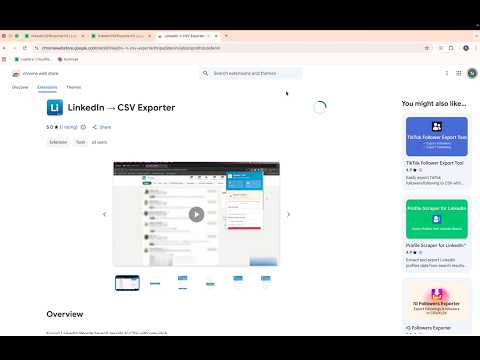
LinkedIn → CSV Exporter Export LinkedIn people search results to CSV. Create clean lead lists for recruiting, sourcing, research, and outreach directly from LinkedIn search pages. No login. No backend. Runs entirely in your browser. -------------------------------- WHAT THIS EXTENSION DOES This extension lets you download a list of people from LinkedIn search results into a CSV file. The exported CSV includes: Name Job title Company Location LinkedIn profile link The CSV file works with Excel and Google Sheets. -------------------------------- HOW TO USE 1. Install the LinkedIn → CSV Exporter Chrome extension 2. After installing, click the puzzle icon in Chrome and pin the extension 3. Go to LinkedIn.com and log in 4. Use the top search bar on LinkedIn to search for people Example: Software Engineer India 5. Make sure you see a list of people profiles in the results (URL looks like: https://www.linkedin.com/search/results/people/) 6. Click the LinkedIn → CSV Exporter extension icon 7. Select how many result pages you want to export 8. Click Export Search Results and download your CSV file -------------------------------- FREE VS PRO Free: Export 1 LinkedIn search result page per export Pro (one-time purchase): Export up to 20 LinkedIn search result pages Pay once. Use forever No subscriptions -------------------------------- WHO THIS IS FOR Recruiters building candidate lists Sales and sourcing teams collecting leads Founders doing manual outreach Researchers collecting LinkedIn people data If you can see people in LinkedIn search results, you can export them. -------------------------------- IMPORTANT LIMITATIONS Works only on LinkedIn search pages that show people Requires an active LinkedIn login Does NOT work on: Sales Navigator Recruiter Does NOT extract: Emails Phone numbers Does NOT send messages or connection requests This tool exports only data that is already visible on LinkedIn. -------------------------------- PRIVACY & SECURITY Runs fully in your browser No backend servers No account or signup required No data is uploaded or stored remotely Your data stays on your computer. -------------------------------- USAGE NOTE This extension exports only publicly visible information from LinkedIn search results. Use responsibly and in accordance with LinkedIn’s terms. -------------------------------- LinkedIn CSV Export Export LinkedIn search results LinkedIn people search to CSV LinkedIn lead list export LinkedIn search to Excel Version History Version 1.2.9 Critical Bug Fix: Fixed scraping returning zero results after LinkedIn’s DOM changes Version 1.2.8 • Bug Fixes • Zero results selector update Version 1.2.7 🔧 Improved Zero-Results Handling & Diagnostics What’s new • Clear, inline handling when a scrape returns zero profiles • Optional “Report issue” action lets users send an anonymous, scrubbed HTML snapshot to help • diagnose LinkedIn layout changes • Explicit, one-time consent only — no DOM data is ever sent automatically • Diagnostic reports are size-limited, sanitized, and sent securely in the background UX improvements • No more misleading “Export Complete” state when zero results are found • Export button is hidden and scraper state is reset automatically • Popup reopens in a clean idle state after zero-result runs • Report dialog appears once per event and does not reappear after dismissal Version 1.2.6 • Clear Free vs Pro limits shown upfront • Cleaner, simpler page selection • One-time upgrade (no subscriptions) • Faster, more reliable export flow • Clear indication when LinkedIn people results are ready to export • Consistent, simpler Export terminology • Clear confirmation after export completes • Subtle icon indicator when export is available Version 1.2.4(2025-01-19) • Improved analytics and debugging for zero-result searches Version 1.2.3 (2025-01-14) • Introduced limit-based, value-first upsell that appears only when users exceed the free page limit • Users can complete one free scrape before any upgrade prompt; upsell triggers only on user action • Cleaner upgrade experience with a dedicated limit screen, clearer CTA hierarchy, and reduced UI clutter Version 1.2.2 – 2026-01-11 • Improved unsupported-page redirect UX • Action-focused layout with single CTA • Reduced friction on unsupported pages Version 1.2.1 – 2026-01-05 • Fixed stop-scraping behavior across navigation • Added download-ready badge • Improved uninstall tracking Version 1.2.0 – 2026-01-01 • Improved page detection • Anonymous DOM-change detection • Bug fixes and stability improvements Version 1.0.2 • Initial stable release with multi-page export, deduplication, and CSV download.
5/51 lượt xếp hạng
Chi tiết
- Phiên bản1.2.9
- Đã cập nhật22 tháng 3, 2026
- Tính năngCung cấp tính năng mua trong ứng dụng
- Nhà cung cấpNikhil Sharma
- Kích thước736KiB
- Ngôn ngữEnglish
- Nhà phát triển
Email
nikhildata1265@gmail.com - Người bán phi thương mạiNhà phát triển này không tự nhận mình là người bán. Đối với người tiêu dùng ở Liên minh Châu Âu, xin lưu ý rằng các quyền của người tiêu dùng không được áp dụng trong hợp đồng giữa bạn và nhà phát triển này.
Quyền riêng tư

LinkedIn → CSV Exporter đã công bố thông tin sau đây liên quan đến việc thu thập và sử dụng dữ liệu của bạn. Bạn có thể xem thêm thông tin chi tiết trong privacy policy của nhà phát triển.
LinkedIn → CSV Exporter xử lý dữ liệu sau:
Nhà phát triển này tuyên bố rằng dữ liệu của bạn
- Không được bán cho bên thứ ba, ngoài những trường hợp sử dụng đã được phê duyệt
- Không được sử dụng hoặc chuyển nhượng cho các mục đích không liên quan đến chức năng chính của mặt hàng
- Không được sử dụng hoặc chuyển nhượng để xác định khả năng thanh toán nợ hoặc phục vụ mục đích cho vay