

Link to Text Fragment
১৫৬টি রেটিং
)
অবলোকন
Browser extension that allows for linking to arbitrary text on a page.
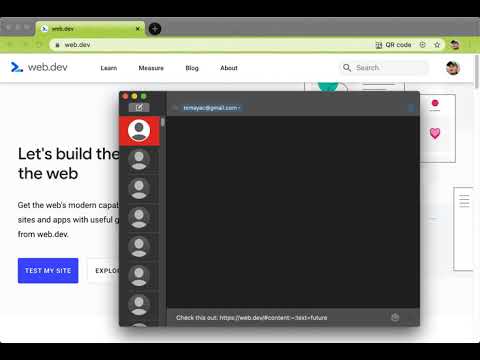
Update: Chrome now has a built-in feature ("Copy Link to Highlight" in the context menu) to copy text fragment links. The extension has an additional feature that allows you to also copy rich links. You can activate this feature in the options. This extension allows for easily creating a special link to the currently selected text on a page via the context menu. When opening such a special link, a compatible browser will scroll the selected text into view and highlight it. Usage instructions: • Select the text that you want to link to. • Right-click and choose "Copy Link to Selected Text" from the context menu. • If the link creation succeeded, the selected text will be briefly highlighted in yellow. • Paste your link wherever you want to share it. • 💡 Pro-tip: you can assign a keyboard shortcut to the copy action! 📖 Article: https://web.dev/text-fragments/ 🧩 Extension: https://chrome.google.com/webstore/detail/link-to-text-fragment/pbcodcjpfjdpcineamnnmbkkmkdpajjg 🎬 Demo video: https://www.youtube.com/watch?v=Y5DmGqnzvBI For more information, see the Text Fragments specification (https://wicg.github.io/scroll-to-text-fragment/) where this feature is described. This extension is open-source (https://github.com/GoogleChromeLabs/link-to-text-fragment) and licensed under the terms of the Apache 2.0 license. By installing this item, you agree to the Google Terms of Service and Privacy Policy (https://www.google.com/intl/en/policies/).
৫-এর মধ্যে ৩.১১৫৬টি রেটিং
বিশদ বিবরণ
- ভার্সন2.5.1
- আপডেট করা হয়েছে৪ ফেব্রুয়ারি, ২০২৫
- নিয়ে এসেছেGoogle LLC
- সাইজ94.43KiB
- ভাষাসমূহ৭টি ভাষা
- ডেভেলপারGoogle LLC
1600 Amphitheatre Parkway Mountain View, CA 94043 United Statesইমেল
tomac@google.com - ব্যবসায়ী ননএই ডেভেলপার নিজেকে একজন ব্যবসায়ী হিসেবে শনাক্ত করেননি। ইউরোপীয় ইউনিয়নের গ্রাহকদের জন্য, মনে রাখবেন যে গ্রাহকের অধিকার আপনার এবং এই ডেভেলপারের মধ্যে চুক্তির ক্ষেত্রে প্রযোজ্য নয়।
গোপনীয়তা

এই ডেভেলপার আপনার ডেটা প্রসঙ্গে যা ঘোষণা করেছেন
- অনুমোদিত ব্যবহারের ক্ষেত্র ছাড়া বাইরের কোনও থার্ড-পার্টির কাছে ডেটা বিক্রি করা হয় না
- আইটেমের মুখ্য কার্যকারিতার সাথে সম্পর্ক নেই এমন কোনও উদ্দেশ্যে ব্যবহার বা ট্রান্সফার করা হচ্ছে না
- ধার নেওয়ার যোগ্যতা নির্ধারণ বা ধার দেওয়ার উদ্দেশ্যে ব্যবহার বা ট্রান্সফার করা হচ্ছে না
সমর্থন
কোনও প্রশ্ন, সাজেশন বা সমস্যা সম্পর্কে সাহায্যের প্রয়োজন হলে, ডেভেলপারের সহায়তা সাইটে যান