

LingTube - YouTube Video Translator, AI Dubbing & Dual Subtitles

Overview
YouTube subtitle translator with real-time AI voice dubbing & dual subtitles. Works with no captions. Coursera/Udemy/Bilibili/TikTok
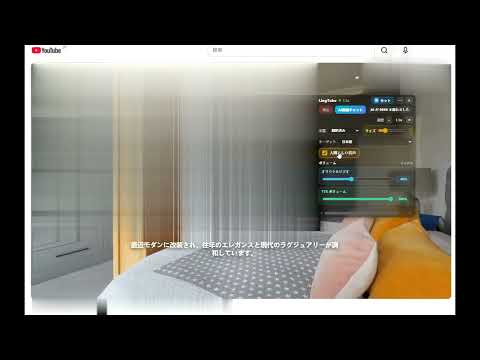
LingTube is a YouTube video translator and AI dubbing Chrome extension. Open any video and start with one click: it translates YouTube subtitles in real time, shows dual subtitles (original + translation together), and auto-generates subtitles for videos without subtitles or captions using speech-to-text — then a natural AI voice reads the translation aloud, so you can watch foreign videos in your language instead of staring at the subtitle line. Translate YouTube videos to English, Spanish, Portuguese, French, German, Arabic, Hindi, Chinese, Japanese, Korean, Vietnamese, Indonesian and 100+ other languages. Free to start — just play any video on YouTube (including Shorts), Coursera, Udemy, Bilibili, or TikTok. Key features • Subtitle translator: automatically translate captions in real time, including auto-generated captions • AI dubbing (voice-over): natural text-to-speech voices (Edge TTS or browser voices) read the translation aloud — get an instant English dub, or dub into any language, like your own simultaneous interpreter • Dual bilingual subtitles: original + translation on screen, or translation-only / original-only • No subtitles? Speech recognition transcribes the audio, then translates and dubs it — a real-time voice translator for videos with no captions • Context-aware translation: Google Translate or OpenAI-compatible APIs for long sentences and technical content • Learn English or any language with YouTube: vocabulary, grammar notes, exercises, flashcards with spaced repetition, and AI scoring • Audio mixing: original audio and the translated voice play together, with separate volume controls • AI video summary: summarize long YouTube videos, extract key points from the full translated transcript, and jump to timestamps • One-click start/stop + Alt+Shift+V hotkey • Course & platform support: translate Udemy courses and Coursera lectures, Bilibili English subtitles, TikTok caption translation Ideal for language learning, online courses, tech tutorials, news, podcasts, interviews, anime, movies, and listening on your commute. Privacy • Runs only on YouTube, Coursera, Udemy, Bilibili, and TikTok pages • Settings are saved in the local browser • Subtitle, translation, and voice requests are sent only to the services you enable Website: https://lingtube.xyz
4.4 out of 540 ratings
Details
- Version1.8.1
- UpdatedOctober 19, 2026
- Size1.53MiB
- Languages48 languages
- DeveloperWebsite
Email
johndyl456@gmail.com - Non-traderThis developer has not identified itself as a trader. For consumers in the European Union, please note that consumer rights do not apply to contracts between you and this developer.
Privacy

LingTube - YouTube Video Translator, AI Dubbing & Dual Subtitles has disclosed the following information regarding the collection and usage of your data. More detailed information can be found in the developer's privacy policy.
LingTube - YouTube Video Translator, AI Dubbing & Dual Subtitles handles the following:
This developer declares that your data is
- Not being sold to third parties, outside of the approved use cases
- Not being used or transferred for purposes that are unrelated to the item's core functionality
- Not being used or transferred to determine creditworthiness or for lending purposes
Support
For help with questions, suggestions, or problems, visit the developer's support site