

Linglass — Dual Subtitles for YouTube & Netflix

Overview
Learn languages on YouTube, Netflix, Viki & iQIYI. Dual subtitles, click any word to translate, save words as flashcards.
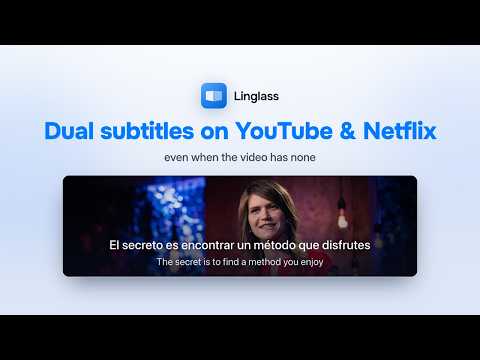
Linglass shows dual subtitles on YouTube, Netflix, HBO Max, Crunchyroll & more, translates words and phrases in context, and turns them into flashcards with spaced repetition. 📺 Dual Subtitles Where You Watch - Two lines at once: the original and your own language, one above the other — bilingual reading, no pausing to look things up - Click any word for an instant translation that fits the scene, or select a phrase for a full one - Save a word straight from what you're watching — the sentence, its translation and the frame are attached to the card - On YouTube, download the subtitles — one line or both — as SRT, VTT or TXT - On Netflix, both lines stay in sync even when the two tracks are timed differently ✨ AI Subtitles and AI Translation - YouTube videos with no captions at all: Linglass transcribes the audio with AI and translates that transcript into your language - Smart segmentation breaks speech into readable lines instead of word-by-word fragments — auto-generated captions become something you can actually read - AI translation rewrites a rough machine translation into natural subtitles that fit the scene - Try both for free; Premium removes the limits 🔍 Contextual Translation - Click a word — a popup dictionary opens over the video with the meaning it has in this sentence, not a generic entry - Select a phrase for an accurate multi-word reading - Phonetic transcription and native pronunciation audio - Works in the video player on every supported service and on any webpage 🤖 AI Grammar Explanation - Select any sentence — in a video or on a webpage — and get a structured grammar breakdown - See which constructions are used, with a CEFR / JLPT / HSK / TOPIK level label so you know what's worth learning next - Understand the role of each part of the sentence in your native language 🧠 Smart Flashcards with FSRS - Spaced repetition adapts to your memory - Review with real context — the sentence, its translation, and the frame it came from - Track your learning progress and streaks 🌍 Languages You can learn 16 languages with Linglass, and read the translation in any of 23 native languages. The 7 additional ones are translation targets only — not yet available as languages to learn. The current list is on our website: https://linglass.app 📱 Available on iOS and Android.
4.9 out of 549 ratings
Details
- Version1.12.6
- UpdatedOctober 20, 2026
- FeaturesOffers in-app purchases
- Size903KiB
- Languages23 languages
- DeveloperWebsite
Email
support@linglass.app - Non-traderThis developer has not identified itself as a trader. For consumers in the European Union, please note that consumer rights do not apply to contracts between you and this developer.
Privacy

Linglass — Dual Subtitles for YouTube & Netflix has disclosed the following information regarding the collection and usage of your data. More detailed information can be found in the developer's privacy policy.
Linglass — Dual Subtitles for YouTube & Netflix handles the following:
This developer declares that your data is
- Not being sold to third parties, outside of the approved use cases
- Not being used or transferred for purposes that are unrelated to the item's core functionality
- Not being used or transferred to determine creditworthiness or for lending purposes
Support
For help with questions, suggestions, or problems, visit the developer's support site