


Overview
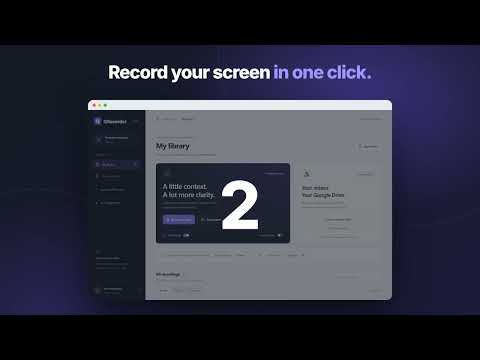
Record your screen, save locally, and share through Google Drive.
GRecorder helps you record screen walkthroughs and share them when you're ready. RECORD • Record a browser tab, an application window, or your whole screen. • Add your microphone and a camera bubble: circle, rounded, square, or a 16:9 rectangle, with optional mirroring and a soft background. • Pause, resume, stop, or delete from floating controls that stay on top while you work. • A countdown gives you time to get ready before recording or taking a screenshot. • Highlight your pointer and draw on any tab while you record, so viewers can follow what you point at. • Turn on live transcript to create timestamped speech text as you talk, using Chrome's built-in speech recognition. KEEP AND EDIT • Recordings and screenshots are saved in your browser's local library, where you can play, search, organize with folders and tags, and download them. • Trim, crop, annotate, adjust volume, add chapters, and choose a thumbnail. Your original recording is always kept. SHARE THROUGH YOUR GOOGLE DRIVE • Connect your own Google Drive and upload the files you choose. Uploads are private by default. • Create a public link when you want to share, add an optional password or expiry, and turn sharing off later. • Uploads can continue in the background after you close the recorder tab. YOUR DATA GRecorder only captures after you start a recording and grant Chrome's permission. It uses Google Drive access only to upload and manage files created with GRecorder; it does not scan your other Drive files. Anyone-with-link sharing makes the selected file viewable by people who have its link. The pointer highlight and drawing overlay only draws on top of the page; it does not read or collect page content. GRecorder has no ads or analytics.
5 out of 51 rating
Details
- Version0.1.9
- UpdatedOctober 2, 2026
- Size81.18KiB
- LanguagesEnglish
- DeveloperWebsite
Email
gianolivar@gmail.com - Non-traderThis developer has not identified itself as a trader. For consumers in the European Union, please note that consumer rights do not apply to contracts between you and this developer.
Privacy

GRecorder — Record to Drive has disclosed the following information regarding the collection and usage of your data. More detailed information can be found in the developer's privacy policy.
GRecorder — Record to Drive handles the following:
This developer declares that your data is
- Not being sold to third parties, outside of the approved use cases
- Not being used or transferred for purposes that are unrelated to the item's core functionality
- Not being used or transferred to determine creditworthiness or for lending purposes
Support
For help with questions, suggestions, or problems, visit the developer's support site