


Overview
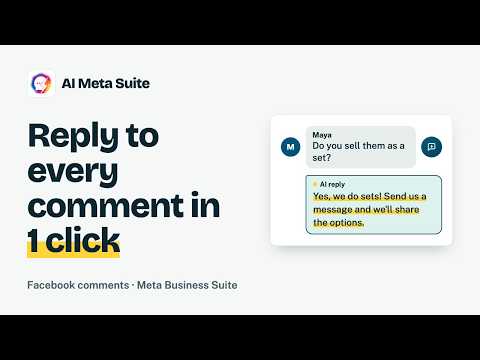
Reply to Facebook comments in one click with AI. Natural, on-brand answers inside Meta Business Suite, in the commenter's language.
Answer every comment on your Facebook Page in one click. AI Meta Suite writes a natural, on-brand reply right inside Meta Business Suite, and you review it before it's posted. Replying to comments by hand takes hours, and unanswered questions cost sales. The extension reads the post and the comment together, so each reply fits the conversation instead of sounding like a template. HOW IT WORKS 1. Open a post in Meta Business Suite and click "Scan AI Context" 2. Click the Auto Reply button (the round speech-bubble button) on any comment 3. The reply appears in the reply box and the comment gets a like 4. Edit if you want, then send WHAT IT HANDLES ✦ Questions, complaints, compliments and quick "thanks" messages, each with a fitting length ✦ Photo, sticker, GIF and emoji comments (it looks at the image) ✦ Replies in the same language the commenter used ✦ Four tones: Friendly, Professional, Casual or Empathetic ✦ Three lengths: Short, Medium or Long ✦ Up to 5 saved prompts to describe your brand voice, products and rules NEW IN 2.2 ✦ Auto-like on every comment you answer ✦ Short, warm answers (or just emojis) for "Thanks!" and "Great job" comments ✦ Image understanding on every plan, including Free ✦ A reminder before you run out of monthly replies PLANS Free: 20 replies a month, no card needed Starter ($3.99/month): 300 replies, all tones and saved prompts Pro ($9.99/month): 1,500 replies for busy pages and agencies Details: https://aimetasuite.com/pricing PRIVACY To write a reply we send the comment, any attached image and the post text to our server, where our AI provider processes it. Nothing is posted without your click. We don't collect browsing history or sell data. Privacy policy: https://aimetasuite.com/privacy HELP https://aimetasuite.com/support · contact@aimetasuite.com
0 out of 5No ratings
Details
- Version2.2.1
- UpdatedOctober 25, 2026
- Size85.9KiB
- LanguagesEnglish
- DeveloperWebsite
Email
essayadiii@gmail.com - Non-traderThis developer has not identified itself as a trader. For consumers in the European Union, please note that consumer rights do not apply to contracts between you and this developer.
Privacy

AI Auto Reply for Facebook Comments - AI Meta Suite has disclosed the following information regarding the collection and usage of your data. More detailed information can be found in the developer's privacy policy.
AI Auto Reply for Facebook Comments - AI Meta Suite handles the following:
This developer declares that your data is
- Not being sold to third parties, outside of the approved use cases
- Not being used or transferred for purposes that are unrelated to the item's core functionality
- Not being used or transferred to determine creditworthiness or for lending purposes
Support
For help with questions, suggestions, or problems, visit the developer's support site