

Easy AACcess for YouTube

Overview
Allows AAC and switch users to access YouTube more independently through scanning, simple buttons, and other features.
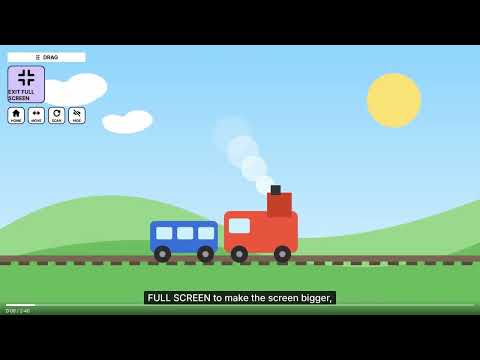
UPDATE: Fixed an issue with the CC button not working on the first try. FEATURES - Large, color-coded buttons: play, pause, next, back, louder, softer, captions and full screen - Switch scanning: the highlight moves by itself; press Space, Enter or click to choose - Spoken feedback: button names and video titles are read out loud - A large search keyboard (QWERTY or ABC) with word suggestions Comments, Shorts, recommendations and autoplay are hidden to reduce distractions and overstimulation. The NEXT button plays the next video from the user's search results instead of YouTube's suggestions, keeping viewing focused on what the user searched for. Caregivers can adjust scan speed, spoken scanning, board size and layout, and the keyboard layout in the extension's settings menu. PRIVACY No accounts, no ads, no tracking. Settings are saved only in your own browser. Easy AACcess is a free, independent project. It is not affiliated with, endorsed by or sponsored by Google or YouTube. YouTube is a trademark of Google LLC.
0 out of 5No ratings
Details
- Version1.0.1
- UpdatedOctober 23, 2026
- Offered byeasyaaccess.contact
- Size82.28KiB
- LanguagesEnglish
- Developer
Email
easyaaccess.contact@gmail.com - Non-traderThis developer has not identified itself as a trader. For consumers in the European Union, please note that consumer rights do not apply to contracts between you and this developer.
Privacy

This developer declares that your data is
- Not being sold to third parties, outside of the approved use cases
- Not being used or transferred for purposes that are unrelated to the item's core functionality
- Not being used or transferred to determine creditworthiness or for lending purposes
Support
For help with questions, suggestions, or problems, visit the developer's support site