


Overview
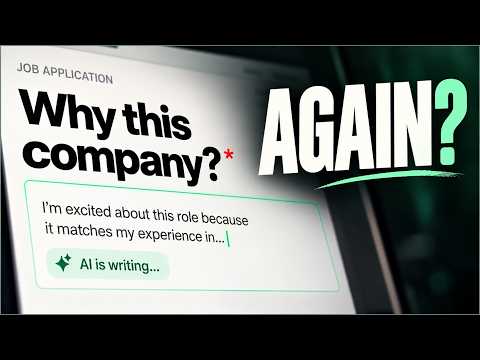
Free AI job application autofill. Fills forms from your resume, drafts answers to application questions; you review and submit.
Stop retyping your resume into every job application. Jobsistant is AI job application autofill: it completes the forms from your profile and drafts the written parts, so your time goes into reviewing, not retyping. WHAT IT DOES • Handles the repetitive fields: name, contact details, work history, education and links. • Drafts responses to questions like "Why do you want to work here?" from your experience and the job description. • Remembers what you write and offers it the next time a form asks something similar. • Shows how well you match the role, and flags anything it isn't sure about instead of guessing. YOUR SUPER CONTEXT Super Context is your reusable professional profile: your resume, work history, projects, skills, education, links and the answers you choose to save. Build it once. Jobsistant uses only what is in it, and a check blocks AI-written details that your profile or the job description don't support. WHERE IT WORKS On 16 applicant tracking systems, including Workday (beta), Greenhouse and Lever, a small Jobsistant card appears on the page. Click "Fill this application" and the side panel opens and gets to work. On any other company career page, click the Jobsistant icon in your toolbar and choose "Fill this page". On LinkedIn, assist mode prepares text for you to paste. Every supported site: https://jobsistant.com/autofill/job-applications YOU STAY IN CONTROL • Jobsistant never submits for you. You review every field and press submit yourself. • Passwords, CAPTCHAs, verification codes, payment details and government ID numbers are left out of autofill. • Voluntary self-identification questions, such as gender, race, disability and veteran status, are left for you and never inferred. • Your data is not sold, used for advertising or used to train our own AI model. FREE TO START The core is free, permanently: unlimited autofill from your profile, saved-answer reuse, a tracker for every job you apply to and one Smart Apply a day for written questions. Pro adds unlimited Smart Apply plus resumes and cover letters tailored to each posting. During early access, Pro is free and needs no credit card. GET STARTED 1. Install Jobsistant and create a free account. 2. Upload your resume to build your Super Context. 3. Open a job posting's form and start Jobsistant from its card or your toolbar. 4. Review, fix anything flagged, and submit. Support: support@jobsistant.com Privacy: https://jobsistant.com/privacy
5 out of 51 rating
Details
- Version1.0.4
- UpdatedOctober 23, 2026
- Size563KiB
- LanguagesEnglish
- DeveloperYatharth DixitWebsite
127/340, U Block Nirala Nagar Kanpur, Uttar Pradesh 208014 INEmail
support@jobsistant.comPhone
+91 81006 85939 - TraderThis developer has identified itself as a trader per the definition from the European Union and committed to only offer products or services that comply with EU laws.
Privacy

Jobsistant - Autofill Job Applications with AI has disclosed the following information regarding the collection and usage of your data. More detailed information can be found in the developer's privacy policy.
Jobsistant - Autofill Job Applications with AI handles the following:
This developer declares that your data is
- Not being sold to third parties, outside of the approved use cases
- Not being used or transferred for purposes that are unrelated to the item's core functionality
- Not being used or transferred to determine creditworthiness or for lending purposes
Support
For help with questions, suggestions, or problems, visit the developer's support site