


Overview
Record browser journeys and turn them into AI-ready QA test cases and defect reports in QAMind.
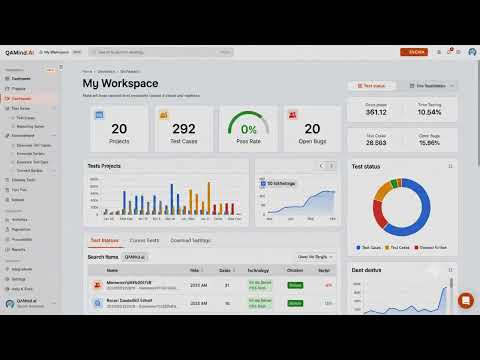
QAMind Recorder is a Chrome extension that helps QA engineers, software testers, developers, and product teams record browser interactions and automatically generate software testing artifacts. Instead of manually documenting every test scenario, start a recording, perform your workflow, and stop the recording when finished. QAMind Recorder captures user interactions and organizes them into structured outputs that can be used for manual testing, automation, and defect reporting. Features • Record browser user journeys with a single click. • Capture user interactions including: - Mouse clicks - Text input - Form submissions - Checkbox and radio button selections - Dropdown selections - Page navigation • Generate detailed manual test cases from recorded sessions. • Create Playwright automation scripts from recorded browser actions. • Generate bug reports with clear reproduction steps. • Capture element locators to support test automation. • Export generated testing artifacts for collaboration and documentation. How It Works 1. Start a recording. 2. Use your web application normally. 3. Stop the recording. 4. Review the generated test cases, automation scripts, and bug reports in your QAMind workspace. Privacy QAMind Recorder records interactions only after you start a recording session. The extension accesses webpages solely to capture the information needed to generate testing artifacts. User data is handled according to the QAMind privacy policy.
5 out of 53 ratings
Details
- Version2.5.5
- UpdatedSeptember 15, 2026
- Size87.87KiB
- LanguagesEnglish
- DeveloperWebsite
Email
rahul@perfectqaservices.com - Non-traderThis developer has not identified itself as a trader. For consumers in the European Union, please note that consumer rights do not apply to contracts between you and this developer.
Privacy

This developer declares that your data is
- Not being sold to third parties, outside of the approved use cases
- Not being used or transferred for purposes that are unrelated to the item's core functionality
- Not being used or transferred to determine creditworthiness or for lending purposes