


Overview
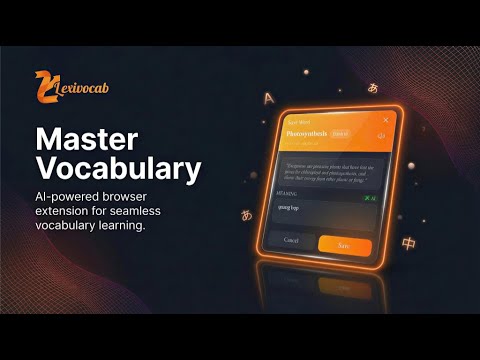
Master new languages while browsing. Easily save, highlight, and translate vocabulary.
🚀 Transform your web browsing into an immersive vocabulary learning experience! LexiVocab is a powerful Chrome extension designed for language learners who want to master new languages naturally while reading and communicating online. Whether you're a student, professional, or language enthusiast, LexiVocab helps you capture vocabulary, read foreign content smoothly, and write like a native—all without leaving your current tab. 🎉 Welcome to LexiVocab v1.3.0! This major update introduces powerful upgrades to your bilingual reading and writing experience. We've focused on seamless integration with chat applications (Messenger, Zalo, Telegram, WhatsApp...), smarter text replacements, and zero-config onboarding to make global communication effortless. 🚀 QUICK START GUIDE (ONBOARDING) Get hands-on with the two core superpowers introduced in LexiVocab v1.3.0: 1. Overlay Translation — Optimized for READING *Translate articles, documentation, or chat bubbles directly on-screen without breaking the web page layout.* - 🖱️ How to use: Hover your mouse over any text block or chat bubble -> Press Alt + T. - 🔄 Quick Language Cycling: Press Alt + L to cycle through target languages (Vietnamese -> English -> German -> Russian -> Chinese -> Japanese) on the fly. A small toast notification will confirm your selection. - ↩️ Instant Restore: Click the small translation badge that appears at the end of the translated block to revert to the original text. - 🔀 Flip Directions: Press Alt + S to instantly swap the source and target languages. 2. Input Translator — Optimized for WRITING *Draft messages in foreign languages effortlessly. Type your thoughts and let LexiVocab convert them right inside the input field.* - ⌨️ How to use: Type your text in any input field, textarea, or chat box -> Press Spacebar 3 times (Triple-space) at the end of the sentence to trigger the translation. - ↩️ Quick Undo: Press Ctrl + Z immediately after a translation to restore your original typed text. 💡 Pro Tip (Zero-Config Power Feature): Try typing this into any input box right now: ja: happy new year (make sure to hit space 3 times at the end). The extension will automatically convert it into 明けましておめでとうございます and clean up the ja: prefix for you! *Works similarly with ko: thank you or zh-Hant: hello .* ✨ Key Features 🎯 Smart Word Saving & AI Context - 🖱️ Instant Capture: Select any word on any webpage and save it instantly via the right-click context menu. - 📝 Auto-Context: Automatically capture the surrounding sentence to remember how words are used in real life. - 💡 Custom Notes: Add your own meanings, notes, and personal translations. - 🤖 On-Device AI: Built-in translation powered by Chrome's native AI capabilities. 🌐 Smart Overlay Translation (New v1.3.0) — Optimized for Reading - 📰 Seamless Reading: Hover over any text block or chat bubble and press Alt + T to overlay translations directly on-screen without breaking the page layout. Perfect for news, blogs, and chat apps (Messenger, Zalo, Telegram...). - 🔄 Language Cycling (Alt + L): Cycle through target languages (Vietnamese, English, German, Russian, Chinese, Japanese) instantly with toast notifications. - 💾 State Persistence: Smart RAM cache automatically restores your translated overlays even when switching tabs or when chat messages dynamically update. - ↩️ One-Click Restore: A tiny badge appears after translation; click it to instantly revert to the original text. ⌨️ Input Translator (New v1.3.0) — Optimized for Writing - ⚡ Triple-Space Trigger: Type your thoughts in any input field or chat box, press Spacebar 3 times, and watch your text instantly convert into the target language. - 🔤 Zero-Config Prefixes: Type language codes directly at the start (e.g., ja: hello -> こんにちは). The prefix is automatically cleaned up after translation. - 🔀 Smart Auto-Flip: Automatically detects if you are typing in your target language and flips the translation direction back to your source language. - ↩️ Quick Undo (Ctrl + Z): Mistake? Hit Ctrl + Z immediately to restore your original typed text. 🔆 Intelligent Highlighting - 🔍 Omnipresent Review: Automatically highlights all your saved vocabulary across every website you visit. - 🎨 Clean Layouts: Smart merging of overlapping words for clean, readable highlights. - ⚡ Performance-Optimized: Built to handle thousands of words smoothly without slowing down your browser. 📋 Powerful Vocabulary Manager & Tooltips - 💬 Instant Tooltips: Hover over any highlighted word to view your custom notes, translations, and original context. - 🗂️ Intuitive Popup: A clean interface to search, filter, organize, or bulk-clear your vocabulary. - 🔄 Real-Time Sync: Changes are instantly synchronized across all open browser tabs. ⌨️ Keyboard Shortcuts - 💻 Open LexiVocab Popup: Ctrl + Shift + E (Mac: Cmd + Shift + E) - 🔌 Toggle Highlighting On/Off: Ctrl + Shift + H (Mac: Cmd + Shift + H) - 🖼️ Trigger Overlay Translation: Alt + T (Mac: Option + T) - 🔄 Cycle Target Languages: Alt + L (Mac: Option + L) - 🔀 Swap Translation Direction: Alt + S (Mac: Option + S) - ⌨️ Trigger Input Translation: Space x 3 (Triple-Space) - ↩️ Undo Input Translation: Ctrl + Z (Mac: Cmd + Z) 🎓 Perfect For - 👨🎓 Students: Preparing for language proficiency exams (IELTS, TOEFL, VSTEP, JLPT, TOPIK). - 💼 Professionals: Expanding technical, coding, or business jargon while reading docs. - 🌍 Global Communicators: Chatting with international friends or colleagues smoothly without juggling external translation tabs. - 📚 Avid Readers: Enjoying foreign literature, news, or academic research with an effortless safety net. 🚀 How It Works 1. 🎯 Select & Save: Highlight a word -> Right-click -> "Save to LexiVocab" to build your personal database. 2. 🔍 Read with Confidence: Use Alt + T to translate tricky paragraphs or chat bubbles on the fly. 3. ✍️ Write Fluently: Type your message, add a prefix if needed (like ko:), and hit space 3 times to chat in any language. 4. 🧠 Passive Learning: Continue browsing normally. Your saved words will be highlighted everywhere to reinforce your memory. --- Thank you for using LexiVocab!
5 out of 51 rating
Details
- Version1.3.0
- UpdatedMay 26, 2026
- Size2.45MiB
- Languages6 languages
- DeveloperWebsite
Email
thanhphanvan1610@gmail.com - Non-traderThis developer has not identified itself as a trader. For consumers in the European Union, please note that consumer rights do not apply to contracts between you and this developer.
Privacy

This developer declares that your data is
- Not being sold to third parties, outside of the approved use cases
- Not being used or transferred for purposes that are unrelated to the item's core functionality
- Not being used or transferred to determine creditworthiness or for lending purposes
Support
For help with questions, suggestions, or problems, visit the developer's support site