

LexiLint — Webpage Spell & Grammar Checker

Overview
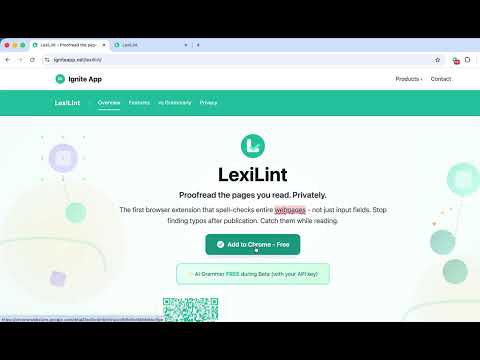
Proofread whole webpages with offline spell check and optional BYOK grammar. English included; Premium adds six languages.
Catch the typo before your readers do. LexiLint proofreads visible text across an entire rendered webpage in one click—not only the field you are typing in. Use it to review live articles, blog posts, documentation, landing pages, staging sites, and localhost pages that Chrome allows the extension to access. Grammarly helps you write. LexiLint helps you publish. WHAT'S NEW • Faster grammar on longer pages: up to three sections are checked at the same time. • Checks keep running when you close the popup. Reopen LexiLint to see progress or results. • Newer English words, such as "crypto", "codebase" and "ChatGPT", are recognised. • Clearer messages: how many sections are checked, when a long paragraph was only partly checked, and when the AI provider cannot be reached. • Fixes: spelling jumps after "Ignore word", and grammar results that stay put while a page changes. FREE TIER • Offline spell check — US and UK English variants are included. The spell-check operation works without an internet connection and does not upload page text. • Optional English AI grammar — check grammar, style, clarity, and punctuation with a Google Gemini API key you provide. Google controls API availability, regional eligibility, usage limits, retention, and charges. • Custom dictionary — add names, brands, and technical terms so they stop being flagged. • Visual highlights — review possible issues directly on the rendered page. LEXILINT PREMIUM • Six additional languages — Spanish, French, German, Polish, Russian, and Turkish, with spelling and grammar support. • More BYOK providers — connect your own OpenAI or Anthropic API key in addition to Gemini. Provider accounts, terms, and API charges apply separately. • Monthly option — $2.99/month after a 7-day free trial. Cancel during the trial to prevent the first charge. If you cancel during a paid month, Premium remains available until that billing period ends; the unused part of a paid month is not refunded. • Lifetime option — $29.99 as a one-time purchase with no trial. Lifetime purchases are final and non-refundable. Every AI grammar check uses an API key you provide. The page's visible text goes directly from the extension to the provider you configure; Ignite App does not receive or store that page text. WHAT MAKES LEXILINT DIFFERENT • Review the rendered page — LexiLint is designed for on-demand proofreading of live, staging, and localhost pages, subject to Chrome extension access. • Keep spell checking local — page text is checked against a dictionary on your device. • Choose the AI provider — BYOK gives you control of the provider account used for optional grammar checking. • Use the right tool for each stage — writing assistants help while you compose; LexiLint checks the page your readers will see. PRIVACY, SCOPED HONESTLY • Spell check: Runs on your device without uploading page text. • AI grammar: Sends the page's visible text directly to the provider you configure, using your API key. The provider's privacy policy and terms apply. • API keys: Stored through Chrome's extension storage API and not sent to Ignite App. Protect access to your device and browser profile. • Extension analytics: The current extension does not include usage analytics or remote error reporting, and it does not send your browsing history or checked page text to Ignite App. • Website and purchases: Website analytics, checkout, licensing, and support have separate data flows described in the privacy policy. Privacy policy: https://igniteapp.net/lexilint/privacy/ Terms: https://igniteapp.net/terms/ SUPPORT Email lexilint@igniteapp.net with setup questions, bug reports, feedback, or language requests. Built for writers, editors, developers, QA teams, and anyone who publishes on the web.
3.4 out of 55 ratings
Details
- Version1.3.0
- UpdatedOctober 4, 2026
- FeaturesOffers in-app purchases
- Size5.52MiB
- LanguagesEnglish
- DeveloperWebsite
Email
lexilintapp@gmail.com - Non-traderThis developer has not identified itself as a trader. For consumers in the European Union, please note that consumer rights do not apply to contracts between you and this developer.
Privacy

LexiLint — Webpage Spell & Grammar Checker has disclosed the following information regarding the collection and usage of your data. More detailed information can be found in the developer's privacy policy.
LexiLint — Webpage Spell & Grammar Checker handles the following:
This developer declares that your data is
- Not being sold to third parties, outside of the approved use cases
- Not being used or transferred for purposes that are unrelated to the item's core functionality
- Not being used or transferred to determine creditworthiness or for lending purposes
Support
For help with questions, suggestions, or problems, please open this page on your desktop browser