


Overview
Record your screen with automatic zoom, edit it and export, all on your device.
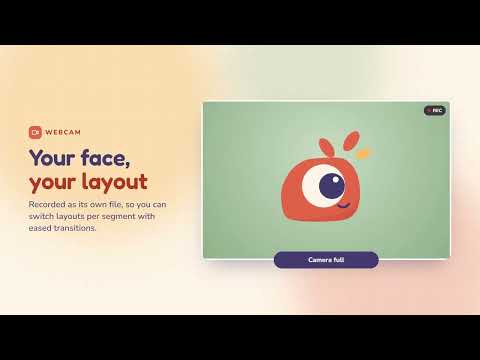
Lensprout turns plain screen recordings into polished videos that zoom where you click. Record your screen or a window in Chrome. Lensprout notes where you click and type on web pages, and turns that into smooth camera moves. Then fine-tune everything in a full editor inside the extension and export an MP4 or a GIF. No account, no upload, no watermark: your recordings never leave your device. RECORD • Record a screen or a window, up to 4K at 60 fps • System audio and a microphone, with level meter, volume and noise suppression • Webcam, recorded separately so you can change its layout later • Countdown before recording, pause and resume, start or stop with Ctrl+Shift+Y AUTOMATIC ZOOM • Zooms placed automatically from clicks, long presses and typing on web pages • Smooth spring camera that follows the cursor, with an adjustable offset • Every zoom is editable: move, resize, change depth, or pin a fixed focus point EDIT • Multi-track timeline: zoom, trim, speed, audio volume, text, blur and camera segments • Smart trim suggests speed-ups for idle and typing stretches and cuts for silences • Crop, including one-click removal of browser bars • Undo and redo, menubar, Ctrl+K command palette, light and dark themes STYLE • Wallpapers, gradients, solid colors or your own image as the background • Padding, rounded corners and shadow; 16:9, 9:16, 1:1 and 4:3 formats • Vertical 9:16 fill that follows the cursor, for shorts and reels • Cursor overlays and highlights, click animations, click and keyboard sounds • 3D stage with tilt, orbit, dolly and swing camera moves and device frames • Webcam layouts: bubble, side by side, stacked or full screen • Save your look as a preset and reuse it EXPORT • MP4 from 720p to 4K at 30 or 60 fps, with audio • GIF at 480, 720 or 960 px • Rendered locally on your computer PRIVATE BY DESIGN Recordings, projects and exports are stored only in the extension's storage on your computer. Lensprout has no servers and collects no data. Note: automatic zoom follows clicks and typing on web pages in Chrome. In other desktop apps, place zooms by hand in the editor.
0 out of 5No ratings
Details
- Version0.7.0
- UpdatedOctober 25, 2026
- Size1.22MiB
- LanguagesEnglish (United States)
- DevelopermyudakkWebsite
Jl. Prof. Soedarto No.13 Tembalang, Kec. Tembalang Kota Semarang, Jawa Tengah 50275 IDEmail
main@myudak.site - Non-traderThis developer has not identified itself as a trader. For consumers in the European Union, please note that consumer rights do not apply to contracts between you and this developer.
Privacy

This developer declares that your data is
- Not being sold to third parties, outside of the approved use cases
- Not being used or transferred for purposes that are unrelated to the item's core functionality
- Not being used or transferred to determine creditworthiness or for lending purposes
Support
For help with questions, suggestions, or problems, please open this page on your desktop browser