


Overview
Compact video controls with quality choices. Send videos and file downloads to LemonDrop for Windows.
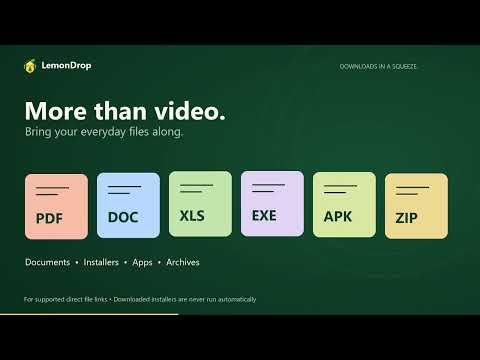
LemonDrop connects Chrome to LemonDrop for Windows, letting you send supported video and file downloads to your desktop download manager. FEATURES • A compact “Download” button appears automatically on the main video player of supported webpages. • Open the button’s menu to choose an available video resolution before downloading. • Send page, video and file links from the extension popup or right-click menu. • Find direct document, archive, installer, APK, image, audio and video links on the current page. • Optionally capture eligible downloads started in Chrome and transfer them to LemonDrop automatically. Capture can be turned off independently in the extension or Windows app. • Follow progress, speed, remaining time and the download queue in the Windows application. REQUIRES LEMONDROP FOR WINDOWS Install and open LemonDrop 1.12.0 or later. The extension connects to its locally installed native helper; no pairing code is required. Chrome may ask once for permission to open the desktop application for manual link commands. The extension does not download files independently of the Windows application. The extension is free to install. The required Windows application includes a 15-day trial. Continued use requires a paid, one-device licence. Current introductory prices are USD $15 for one year or USD $20 for a lifetime licence, with no automatic renewal. PRIVACY AND WEBSITE ACCESS Website access lets the bundled content script detect visible video elements and display the compact download control. Detection alone does not start a video download. Opening the quality menu sends that page URL to the local Windows app to obtain available resolutions; choosing Download sends the URL and selected quality to the app. When optional Chrome download capture is enabled, the extension examines eligible downloads that the user starts in Chrome and sends the download URL to the local Windows app. Chrome pauses and cancels its transfer only after LemonDrop confirms acceptance. Unsafe, private/incognito, extension-created, CRX and LemonDrop-installer downloads are excluded. Downloads LemonDrop cannot accept remain in Chrome. Current-page URLs, selected link or media URLs, link text, and the state of eligible Chrome downloads are processed locally for these features. The extension does not send browsing activity to the publisher, read browser cookies or browsing history, intercept passwords or request bodies, or include advertising or analytics trackers. Availability depends on the website and source. Protected content and links requiring sign-in may not work. Only download content you own or have permission to save. Learn more and download LemonDrop: https://ai4edutech.com/apps/lemon-drop/
0 out of 5No ratings
Details
- Version1.8.4
- UpdatedSeptember 15, 2026
- FeaturesOffers in-app purchases
- Size54.29KiB
- LanguagesEnglish
- Developerاحمد حلمى احمد الهنداوىWebsite
3 ismlia street 2 Mit Ghamr, الدقهلية 21539 EGEmail
ahmadelhendawy16@gmail.comPhone
+20 10 21612626 - TraderThis developer has identified itself as a trader per the definition from the European Union and committed to only offer products or services that comply with EU laws.
Privacy

LemonDrop — Send downloads has disclosed the following information regarding the collection and usage of your data. More detailed information can be found in the developer's privacy policy.
LemonDrop — Send downloads handles the following:
This developer declares that your data is
- Not being sold to third parties, outside of the approved use cases
- Not being used or transferred for purposes that are unrelated to the item's core functionality
- Not being used or transferred to determine creditworthiness or for lending purposes
Support
For help with questions, suggestions, or problems, visit the developer's support site