

Claude Project Downloader — Export, Folders & Chat Search

Overview
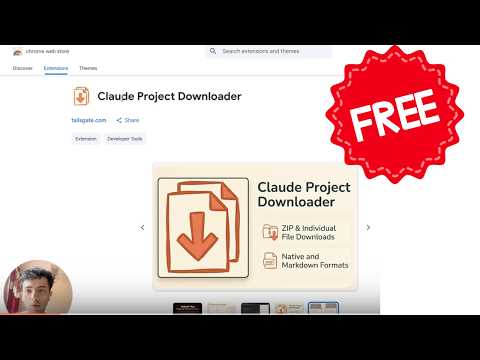
Export Claude chats & projects, sort chats into folders, search every message, bulk delete, and see your usage limits. 100% local.
Export your Claude.ai project knowledge base files and chat transcripts instantly — no manual copy-pasting required. 🚀 KEY FEATURES • One-click download — Export all files from any Claude project with a single click • Single-chat downloads — Download standalone chats directly from the page or popup in ZIP, Markdown, or JSON • ZIP archive — Bundle everything (including attachments and generated artifacts) into one neat ZIP for easy backup • Individual downloads — Grab just the files you need, one at a time • Flexible formats — Keep original file extensions or convert text and chats to Markdown (.md) • Attachment & artifact support — Downloads binary files, PDFs, images, code files, and SVG artifacts • Smart fallback — If a file cannot be exported via API, the extension generates a ready-to-paste prompt for Claude 📋 HOW IT WORKS 1. Navigate to your Claude.ai project or chat page 2. Click the extension icon in your toolbar (or the in-page Download button next to Share) 3. Choose your export format and download individually, in bulk, or as a ZIP 🔒 PRIVACY & SECURITY • No data leaves your browser — all processing happens locally • No tracking, no analytics, no external servers • Uses your existing Claude session — no extra login require
4.8 out of 513 ratings
Details
- Version1.16.1
- UpdatedOctober 8, 2026
- FeaturesOffers in-app purchases
- Size493KiB
- Languages33 languages
- DeveloperWebsite
Email
aarohan789@gmail.com - Non-traderThis developer has not identified itself as a trader. For consumers in the European Union, please note that consumer rights do not apply to contracts between you and this developer.
Privacy

Claude Project Downloader — Export, Folders & Chat Search has disclosed the following information regarding the collection and usage of your data. More detailed information can be found in the developer's privacy policy.
Claude Project Downloader — Export, Folders & Chat Search handles the following:
This developer declares that your data is
- Not being sold to third parties, outside of the approved use cases
- Not being used or transferred for purposes that are unrelated to the item's core functionality
- Not being used or transferred to determine creditworthiness or for lending purposes
Support
For help with questions, suggestions, or problems, visit the developer's support site