

Legendary Messenger CRM

Overview
Organize the sales conversations in your Messenger inbox: stages, scripts, reminders and follow-ups, without leaving the thread.
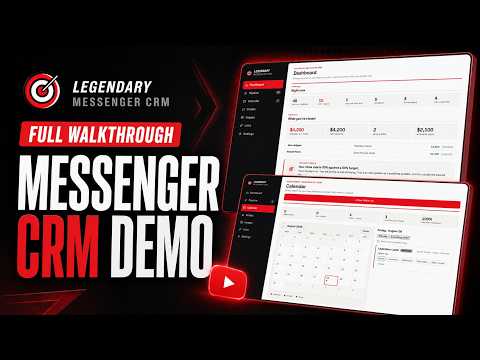
Legendary Messenger CRM turns your Facebook Messenger inbox into an organized sales pipeline, without moving your conversations anywhere else. Everything you already do in Messenger stays where it is. What changes is that you can see where each conversation stands, what you said last, what to say next, and what you promised to do — without leaving the thread. WHAT IT DOES • Pipeline stages — move a conversation through eight stages: New Lead, Replied, Interest, Offer Made, Call Booked, Deal Won, Deal Lost and Follow-Up. The stage shows on the conversation in Messenger's own list, and clicking that label changes it without opening the thread. • Nobody is tracked until you say so — opening a conversation files nobody. People start Untracked and enter the pipeline the moment you give them a stage, so your funnel counts the people you are actually working, not everyone you have ever messaged. • The record, beside the thread — notes, tags, contact details and follow-ups for whoever you're talking to, in a panel beside the conversation or in Chrome's side panel. • Message scripts, in folders you name — your own scripts, filed however you think about them rather than by pipeline stage, with {this|that} variations and {{merge}} fields so the same script doesn't go out word-for-word twice. Type "/" at the start of the message box to pick one without touching the mouse. • Split testing that runs itself — write two openers for the same job and the rotation spreads sends evenly between them until each has enough behind it to mean something, then tells you which one gets more replies and which moves more people forward. • Follow-up reminders — pick a date and time, get a notification, and click it to land back on your calendar. The toolbar icon carries a count of what's owed right now, and it clears itself when you're done. • A calendar and a dashboard — what's due, what's booked, what you've closed, and one sentence naming the step of your pipeline that's leaking. • Products — save what you sell once, with a price and a note, and closing a deal becomes a pick rather than a retype. Revenue then adds up by product instead of by four spellings of the same offer. • Contacts — a plain searchable list of everyone you've spoken to, separate from the pipeline board, for when you just need to find somebody. • Facebook Groups — save the groups you work in, with the people who came out of each one and the posts worth going back to: theirs to answer tomorrow, yours to find out whether anything came of them. Every group is one you pasted in by hand. • Images and links — the pictures and URLs you send often, filed in folders, one click into a message. • The pipeline as a board or a list — drag a card between stages, or select several and move them together. Any change can be undone. • Import and export — bring contacts in from a CSV, including exports from Chatsilo, Genius Messenger CRM and GroupTrack CRM, which are recognised automatically. Take everything out again as CSV or a full JSON backup at any time. Restoring shows you what's in the file against what you have now, before it replaces anything, and saves a rescue copy first. WHERE YOUR DATA LIVES In your browser, on your computer. Contacts, stages, notes, follow-ups, scripts, images, links, products and saved groups are written to a local database and are not transmitted to us. Message text is never stored. The extension reads what's on screen to work out when someone has replied to you, keeps a short numeric fingerprint to spot the change, and discards the text. One thing leaves your machine, and only because you asked: signing in sends your email address and password to Google's Identity Platform, which is what proves your subscription is active. Nothing else — no contact, note or message — is sent to Google or to us. Full detail is in the privacy policy and the Limited Use disclosure linked below. WHAT IT DOESN'T DO It doesn't send messages for you. It writes into Facebook's own message box and stops — you read it and press send. There is no bulk messaging and no scheduled sending, deliberately, because that is what gets accounts restricted. It doesn't read your friends list, your group memberships, or conversations you aren't part of. The groups in your list are the ones you typed in, and so are their member counts — nothing about a group is looked up. REQUIRES A SUBSCRIPTION Legendary Messenger CRM is a paid product and needs an account to run. Subscriptions are handled on our website, not through the Chrome Web Store. NOT AFFILIATED WITH META Legendary Messenger CRM is an independent product of Tri-Johnson Marketing Solutions, LLC. It is not part of, endorsed by, certified by, or affiliated with Facebook or Meta Platforms, Inc. This extension works on top of Facebook's website, and Facebook can change that website at any time. SUPPORT help.legendaryleads.co · support@legendaryleads.co · (319) 727-8500, Mon–Fri 9:00–3:00 Central
0 out of 5No ratings
Details
- Version1.13.5
- UpdatedSeptember 8, 2026
- Offered byLegendary Leads
- Size490KiB
- LanguagesEnglish (United States)
- DeveloperTri-Johnson Marketing Solutions, LLC
620 Lafayette St #300 Waterloo, IA 50703-4709 USEmail
support@trijohnson.com - Non-traderThis developer has not identified itself as a trader. For consumers in the European Union, please note that consumer rights do not apply to contracts between you and this developer.
Privacy

Legendary Messenger CRM has disclosed the following information regarding the collection and usage of your data. More detailed information can be found in the developer's privacy policy.
Legendary Messenger CRM handles the following:
This developer declares that your data is
- Not being sold to third parties, outside of the approved use cases
- Not being used or transferred for purposes that are unrelated to the item's core functionality
- Not being used or transferred to determine creditworthiness or for lending purposes
Support
For help with questions, suggestions, or problems, visit the developer's support site