


Overview
Save LeetCode problems and solutions directly to your Notion database.
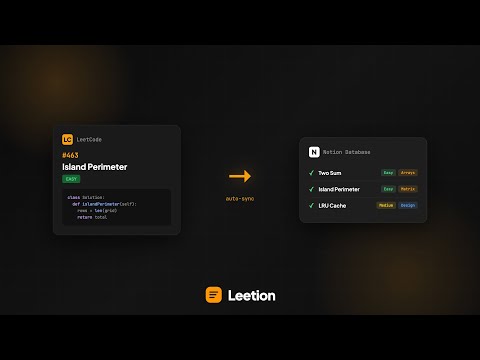
If you've ever solved a problem and completely forgotten how you did it three weeks later, Leetion fixes that. Leetion connects LeetCode to Notion. One click saves the problem, your solution, difficulty, tags, and URL: no more copy-pasting. Features: • Auto-extracts problem details and code from LeetCode. • Built-in spaced repetition to schedule reviews and notification system to remind you. • Track time/space complexity for each solution. • Save multiple languages to the same problem entry. • Drawing canvas to sketch trees, graphs, and diagrams. • Auto-creates Notion database columns on first use. • Form auto-saves locally so you never lose work. Privacy first: No accounts, no external servers, no tracking. Your API key stays in your browser. Data goes directly from LeetCode to your Notion workspace. Setup takes 2 minutes: Create a Notion integration at notion.so/my-integrations, connect it to a database, paste your API key into Leetion, and you're done. Built for: Interview prep, CS students, competitive programmers, and anyone who wants to actually remember the problems they solve. LeetCode helps you practice. Leetion helps you remember. Using Firefox? https://addons.mozilla.org/en-GB/firefox/addon/leetion/ If you ever need to restart the setup process, go to settings and press "Run Setup Wizard", and watch this video explaining how to continue setup: https://www.youtube.com/watch?v=D6I_ZZtsMN8 .
5 out of 524 ratings
Details
- Version1.1.5
- UpdatedFebruary 9, 2026
- Size63.0KiB
- LanguagesEnglish
- DeveloperWebsite
Email
neelbansalx@gmail.com - Non-traderThis developer has not identified itself as a trader. For consumers in the European Union, please note that consumer rights do not apply to contracts between you and this developer.
Privacy

This developer declares that your data is
- Not being sold to third parties, outside of the approved use cases
- Not being used or transferred for purposes that are unrelated to the item's core functionality
- Not being used or transferred to determine creditworthiness or for lending purposes