

LeetGlow – Aesthetic LeetCode Themes, Clean Animations & Focus Tools
4 ratings
)
Overview
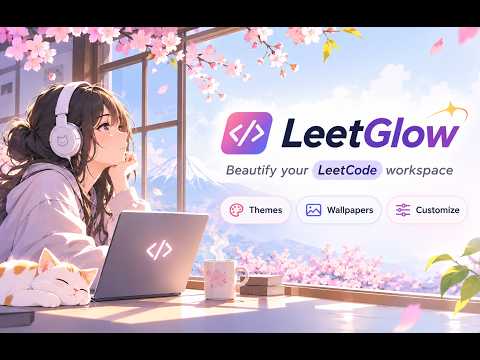
Aesthetic themes, generative lofi soundscapes, Pomodoro focus timer, and custom backgrounds for your LeetCode sessions.
Turn stressful problem-solving into a calm, focused coding session. LeetGlow transforms LeetCode from a rigid, sterile interface into an aesthetic, distraction-free development environment tailored for deep work. Whether you are grinding daily interview problems, practicing data structures and algorithms, or competing in weekly contests, LeetGlow combines handcrafted visual themes, generative background audio, and structured focus timers into one lightweight extension. ================================================== WHY LEETGLOW? ================================================== Standard problem pages can feel repetitive and visually straining during extended coding sessions. LeetGlow reimagines the problem-solving workspace with: • 9 Curated Aesthetic Themes: From the gentle tones of Sakura Dream and Meadow Breeze to the deep immersion of Ocean Deep, Midnight Ink, Rainy Window, and Nord. • Enhanced Monaco Code Legibility: Custom-engineered high-contrast syntax highlighting with subpixel font smoothing for crisp, fatigue-free reading on both dark and light modes. • Generative Lofi Soundscapes: Zero-latency, browser-synthesized ambient audio (Lofi Cafe, Gentle Rain, Midnight Chill) built on the Web Audio API without heavy streaming or bandwidth overhead. • Integrated Pomodoro Focus Engine: Built-in focus intervals and rest timers that keep your pacing steady during problem-solving sprints. • Anime Studio & Wallpaper Customizer: Upload your own desktop wallpapers or choose from curated live scenes with real-time glassmorphism, blur, and opacity controls. • Milestone & AC Celebrations: Subtle celebration chimes, cherry blossom petals, and milestone cards upon Accepted verdicts to reward your progress. ================================================== FEATURES AT A GLANCE ================================================== 1. CURATED VIBES & COLORWAYS • Sakura Dream (Warm anime blush) • Meadow Breeze (Calming sage and tea green) • Paper (Clean editorial parchment with ink contrast) • Ocean Deep (Subtle teal and abyss dark mode) • Midnight Ink (Deep slate minimalism) • Lofi Cafe (Warm amber and espresso glow) • Rainy Window (Moody cool-grey ambience) • Forest Mist (Natural pine and fog) • Nord (Classic Nordic arctic palette) 2. CODE EDITOR INK OPTIMIZATION Light themes often suffer from washed-out code colors. LeetGlow injects bespoke high-contrast token palettes specifically designed for LeetCode's Monaco editor. Text retains crisp weight and vibrant syntax distinction without causing cursor desynchronization. 3. MINDFUL FOCUS & AUDIO Toggle ambient background soundscapes directly from your floating widget or the extension side panel. Adjust volume, cycle sound profiles, or engage the Pomodoro timer without switching browser tabs. 4. ONE-KEY FOCUS MODE Press Cmd+Shift+. (Mac) or Ctrl+Shift+. (Windows/Linux) to instantly toggle Focus Mode, hiding background artwork and decorative elements whenever you need pure, uncompromised code clarity. 5. CHROME SIDE PANEL INTEGRATION Manage your themes, audio, timer, and glass transparency directly inside Google Chrome's native Side Panel—no disruptive popup menus that close when you click away. ================================================== PRIVACY & PERFORMANCE COMMITMENT ================================================== • Zero Tracking: We do not collect, read, transmit, or store your code solutions, keystrokes, LeetCode credentials, or browsing history. • Lightweight Footprint: Entire bundle is approximately 6.5 MB with zero external script injections, complying strictly with Chrome Manifest V3 security standards. • Works Offline: All themes, synthesized audio engines, and layout styling function locally without requiring constant cloud connectivity. ================================================== QUICK START ================================================== 1. Click "Add to Chrome". 2. Open any problem on leetcode.com or leetcode.cn. 3. Click the LeetGlow icon in your Chrome toolbar or open the Chrome Side Panel. 4. Pick your favorite theme, start a lofi soundscape, and dive into your session.
5 out of 54 ratings
Details
- Version3.9.5
- UpdatedNovember 3, 2026
- Offered byAnsh
- Size6.41MiB
- LanguagesEnglish (United States)
- Developer
Email
anupamyadav6477@gmail.com - Non-traderThis developer has not identified itself as a trader. For consumers in the European Union, please note that consumer rights do not apply to contracts between you and this developer.
Privacy

This developer declares that your data is
- Not being sold to third parties, outside of the approved use cases
- Not being used or transferred for purposes that are unrelated to the item's core functionality
- Not being used or transferred to determine creditworthiness or for lending purposes