


Overview
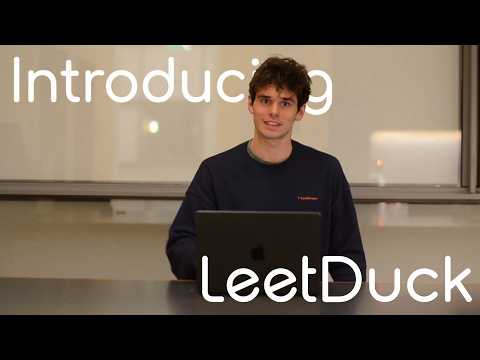
Transform LeetCode practice into realistic voice interviews with AI interviewers from top tech companies
Ace Your Next Technical Interview with LeetDuck - The AI Voice Interview Coach for LeetCode LeetDuck transforms your solitary LeetCode practice into a realistic, high-pressure interview environment. Stop coding in silence and start practicing how you'll actually interview: by talking through your solution out loud with an AI interviewer who listens, questions, and grades your performance. 🚀 KEY FEATURES Realistic Voice Interviews Hands-free interaction: Speak naturally with AI interviewers that listen and respond in real-time. Custom Persona: Customize your interviewer's persona to practice for specific company cultures. Behavioral Questions: Get asked common behavioral questions before the technical part to simulate a complete interview loop. Intelligent Guidance: Hints & Nudges: Stuck on a problem? Your AI interviewer provides subtle hints without giving away the answer, just like a real interviewer would. Follow-up Questions: The AI asks clarifying questions about your approach, edge cases, and time/space complexity. Comprehensive Feedback: Detailed Scoring: Get a detailed breakdown of your performance across Coding, Communication, and Problem Solving. Actionable Insights: Received specific feedback on what you did well and where you can improve. Progress Tracking: Monitor your improvement over time with a beautiful dashboard. Seamless Integration: Works directly on LeetCode: No new platform to learn. LeetDuck integrates seamlessly into your existing LeetCode problem page. One-click Start: Just click the duck icon on any problem to begin your mock interview instantly. HOW TO USE: Install extension: Add LeetDuck to Chrome. Log in: via Google Authentication on LeetDuck.com. Go to LeetCode: Open any problem on LeetCode.com. Click the Duck: You'll see the LeetDuck icon floating on the page. Click it to open the interview panel. Start Interview: Select your interviewer persona (e.g., Meta, Amazon) and click Start. Speak & Code: Use your microphone to explain your thought process while you code. Press and hold the microphone button to record or hold command/control shift y. Why LeetDuck? Technical interviews are 50% coding skill and 50% communication. Most candidates fail because they can't articulate their thought process while coding. LeetDuck bridges this gap by forcing you to "thinking out loud" regular practice. Perfect for: Software Engineers preparing for FAANG interviews Computer Science students looking for internships Anyone wanting to improve their technical communication skills Get LeetDuck today and walk into your next interview with confidence Changelog: 1.02: Change push and hold to talk to just push to talk based on user feedback! 1.03: Overhaul the push to talk design, implement smart comments feature (Let's LeetDuck comment on your code!)
5 out of 54 ratings
Details
- Version1.0.3
- UpdatedJanuary 11, 2026
- Size2.96MiB
- LanguagesEnglish (United States)
- DeveloperWebsite
Email
cbdeveloper13@gmail.com - Non-traderThis developer has not identified itself as a trader. For consumers in the European Union, please note that consumer rights do not apply to contracts between you and this developer.
Privacy
LeetCode Voice AI Interviewer - LeetDuck has disclosed the following information regarding the collection and usage of your data. More detailed information can be found in the developer's privacy policy.
LeetCode Voice AI Interviewer - LeetDuck handles the following:
This developer declares that your data is
- Not being sold to third parties, outside of the approved use cases
- Not being used or transferred for purposes that are unrelated to the item's core functionality
- Not being used or transferred to determine creditworthiness or for lending purposes
Support
For help with questions, suggestions, or problems, please open this page on your desktop browser