

LeetCode C++ Autocomplete
3 ratings
)
Overview
Smart C++ autocomplete for LeetCode using Monaco and Tree-sitter
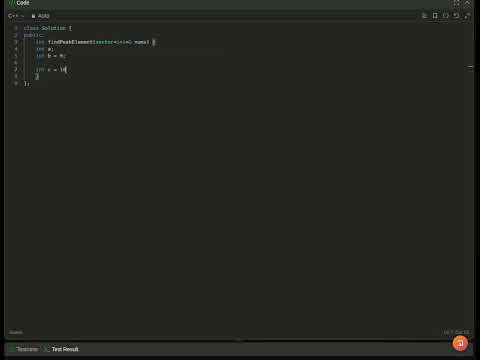
LeetComplete – Intelligent C++ Autocomplete for LeetCode LeetComplete enhances the LeetCode coding experience by bringing modern IDE-style autocomplete directly into the browser. Instead of memorizing STL APIs or repeatedly switching to documentation, get fast, context-aware suggestions while solving problems. Designed specifically for competitive programmers and interview preparation, LeetComplete helps you write C++ code faster with minimal interruptions. ✨ Features 1) Semantic Autocomplete Receive context-aware suggestions based on the type of your variables. Example: priority_queue<int> pq; pq. Suggestions: { push() pop() top() empty() size() } The extension analyzes your code and recommends methods that belong to the detected C++ STL type. 2) Prefix (Trie-Based) Suggestions Start typing STL names and instantly receive completions. Examples: vec → vector pri → priority_queue unordered_ → unordered_map → unordered_set Fast prefix lookup helps reduce typing and improves coding speed. You can choose Your Completion Mode Customize the behavior to match your workflow. Choose between: Semantic Completion Prefix (Trie) Completion Both Combined (Recommended) Optimized specifically for LeetCode. No unnecessary clutter—just the completions that matter while solving problems. ⚙️ Lightweight & Fast Runs entirely inside your browser. No external servers. No code uploads. Minimal overhead while typing. Why Use LeetComplete? ✔ Write solutions faster. ✔ Enjoy an IDE-like experience directly on LeetCode. ✔ Improve coding efficiency during interview preparation and contests. Privacy LeetComplete processes your code locally inside the browser. No source code is uploaded. No personal data is collected. No tracking or analytics. Your code never leaves your browser. Current Capabilities 1)C++ STL member completion 2)Prefix-based keyword completion 3)Configurable completion modes 4)Fast semantic analysis for common STL containers Planned Features 1)More STL support 2)Smarter type inference 3)Better handling of nested expressions 4)Function signature assistance 5)User-defined type support 6)More languages in future updates Code faster. Think less about syntax. Focus on solving the problem. LeetComplete brings intelligent C++ autocomplete to LeetCode—right where you need it.
5 out of 53 ratings
Details
- Version1.0
- UpdatedJuly 1, 2026
- Offered bykkinra09
- Size516KiB
- LanguagesEnglish
- Developer
Email
kushagrakinra@gmail.com - Non-traderThis developer has not identified itself as a trader. For consumers in the European Union, please note that consumer rights do not apply to contracts between you and this developer.
Privacy

LeetCode C++ Autocomplete has disclosed the following information regarding the collection and usage of your data. More detailed information can be found in the developer's privacy policy.
LeetCode C++ Autocomplete handles the following:
This developer declares that your data is
- Not being sold to third parties, outside of the approved use cases
- Not being used or transferred for purposes that are unrelated to the item's core functionality
- Not being used or transferred to determine creditworthiness or for lending purposes