


Overview
Full-screen tournament cockpit for Vola and Xporty events. Pairs with a logged-in tournament tab.
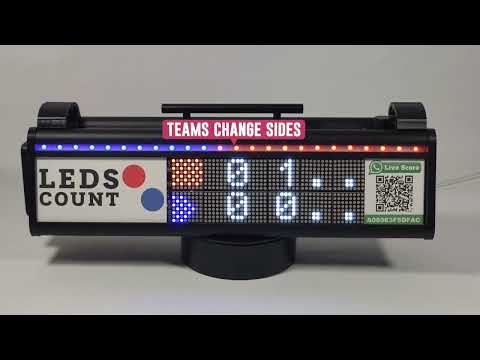
LedsCount Abitra — tournament cockpit for Vola & Xporty LedsCount Abitra turns your padel or tennis tournament into a single, easy-to-run control screen. Instead of clicking through your tournament platform match by match, you get one full-screen cockpit with a drag-and-drop planner grid — courts across the top, time down the side — so you can see and manage the whole event at a glance. KEY FEATURES - Planner grid — every match laid out by court and time. Drag a match to move it to another court or time slot; swap two matches in one action. Changes are written back to your tournament platform. - Matches without teams yet — upcoming matches whose players aren't decided appear as placeholders, so you can plan the full day, not just the matches that are ready. - One-click start & finish — start a match on a court and finish it when it's done; results flow back to the tournament bracket automatically (winner advances, loser to consolation where applicable). - Live scores — running scores from LedsCount scoreboards appear on the grid in real time, and can be pushed live to your tournament platform. - TV mode — a public display view showing each court's match, category, and round (e.g. Semi-Final, Final), ideal for screens at the venue. - Club & format setup — quick configuration per club, with your default match format. IMPORTANT — KEEP YOUR TOURNAMENT TAB OPEN Abitra works alongside your tournament platform, not instead of it. You must stay signed in to Vola or Xporty in a separate browser tab, kept open next to Abitra. Abitra uses that signed-in session to read your tournament and send changes back. If that tab is closed or logged out, Abitra can't communicate with the platform. GETTING STARTED 1. Sign in to Vola or Xporty in one tab and leave it open. 2. Open Abitra, enter your LedsCount club settings, and load your event. 3. Manage your tournament from the grid.
0 out of 5No ratings
Details
- Version0.1.4
- UpdatedSeptember 25, 2026
- Size1.6MiB
- LanguagesEnglish
- Developer
- Non-traderThis developer has not identified itself as a trader. For consumers in the European Union, please note that consumer rights do not apply to contracts between you and this developer.
Privacy

LedsCount Abitra has disclosed the following information regarding the collection and usage of your data. More detailed information can be found in the developer's privacy policy.
LedsCount Abitra handles the following:
This developer declares that your data is
- Not being sold to third parties, outside of the approved use cases
- Not being used or transferred for purposes that are unrelated to the item's core functionality
- Not being used or transferred to determine creditworthiness or for lending purposes
Support
For help with questions, suggestions, or problems, visit the developer's support site