


Overview
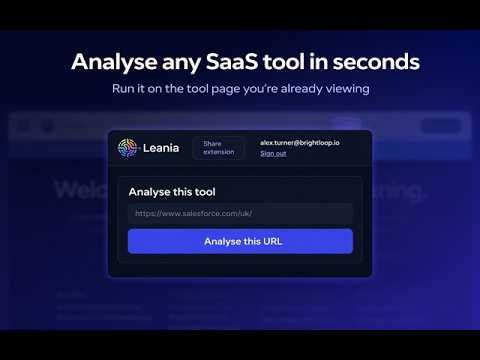
Analyse the software on the current tab with Leania. Pair with a Business Scan for tailored guidance.
𝐋𝐞𝐚𝐧𝐢𝐚 — 𝐓𝐨𝐨𝐥 𝐀𝐧𝐚𝐥𝐲𝐬𝐞𝐫 𝐡𝐞𝐥𝐩𝐬 𝐲𝐨𝐮 𝐞𝐯𝐚𝐥𝐮𝐚𝐭𝐞 𝐒𝐚𝐚𝐒 𝐭𝐨𝐨𝐥𝐬 𝐝𝐢𝐫𝐞𝐜𝐭𝐥𝐲 𝐟𝐫𝐨𝐦 𝐭𝐡𝐞 𝐩𝐚𝐠𝐞 𝐲𝐨𝐮’𝐫𝐞 𝐚𝐥𝐫𝐞𝐚𝐝𝐲 𝐯𝐢𝐞𝐰𝐢𝐧𝐠. Open the Leania extension on a SaaS product, pricing, or vendor page and get a fast, structured decision on the tool: whether it looks worth deeper review, where it may overlap with what you already use, and what to do next. Instead of bookmarking tools, comparing them later, or guessing whether they fit your business, Leania gives you a clear first read while you browse. What the extension does - Analyse a SaaS tool directly from its own page - Give a clear decision signal such as keep, review, replace, or automate - Show why that decision was made - Point you to the next best step - Open a richer app report inside Leania for deeper analysis 𝐖𝐡𝐚𝐭 𝐦𝐚𝐤𝐞𝐬 𝐋𝐞𝐚𝐧𝐢𝐚 𝐝𝐢𝐟𝐟𝐞𝐫𝐞𝐧𝐭 Leania is not just a generic app directory or browser note tool. On its own, the extension gives you a fast tool-level triage. When paired with your Leania account and business scan, it becomes much more useful: - compares the app against your existing stack - highlights overlap or consolidation risk - shows where the app fits your workflows and teams - surfaces grounded alternatives - helps you decide what to trial, review, replace, or keep That means the verdict is not just “what this software does” — it is “what this software means for your business”. 𝐁𝐞𝐬𝐭 𝐟𝐨𝐫 - founders reviewing new tools before signing up - COOs and operations leaders reducing tech stack sprawl - consultants and fractional operators assessing client stacks - teams trying to cut overlap, manual work, and unnecessary software spend Typical use cases - reviewing a CRM, project management, AI, or ops tool from its website - checking whether a new app overlaps with software you already pay for - deciding whether to spend more time on a tool - comparing possible alternatives before a trial or demo - building a more defensible short list for internal review 𝐇𝐨𝐰 𝐢𝐭 𝐰𝐨𝐫𝐤𝐬 1. Open a SaaS product or pricing page 2. Click the Leania extension 3. Get a quick decision and rationale 4. Open the full report in Leania for overlap, fit, alternatives, and next steps Privacy and permissions Leania is designed to be lightweight and user-triggered. - It only analyses the page when you actively use the extension - It does not run constant background monitoring of your browsing - It does not exist to track habits or behaviour - It is built to help you evaluate software, faster and with more context Why install it If your team is constantly looking at new software, Leania helps you answer the questions that matter most, earlier: - Should we spend more time on this tool? - Does this overlap with something we already use? - Is it relevant to our workflows and teams? - What should we do next? Leania turns SaaS browsing into a more structured, defensible decision process.
5 out of 52 ratings
Details
- Version1.2.0
- UpdatedApril 22, 2026
- Size42.19KiB
- LanguagesEnglish (United Kingdom)
- DeveloperLean IAWebsite
16 Mount Pleasant Road Tunbridge Wells TN1 1QU GBEmail
kasia@leania.aiPhone
+44 7951 804214 - TraderThis developer has identified itself as a trader per the definition from the European Union and committed to only offer products or services that comply with EU laws.
Privacy

Leania — Tool Analyser has disclosed the following information regarding the collection and usage of your data. More detailed information can be found in the developer's privacy policy.
Leania — Tool Analyser handles the following:
This developer declares that your data is
- Not being sold to third parties, outside of the approved use cases
- Not being used or transferred for purposes that are unrelated to the item's core functionality
- Not being used or transferred to determine creditworthiness or for lending purposes
Support
For help with questions, suggestions, or problems, visit the developer's support site