


Overview
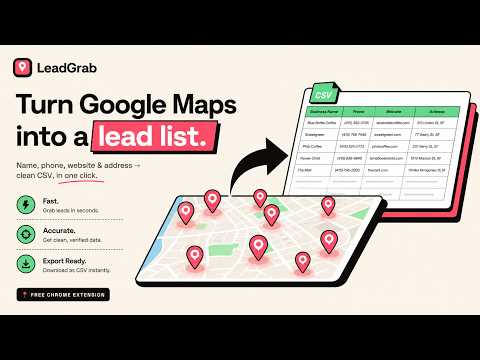
Export Google Maps business leads to CSV — name, phone, website, rating, address. Fast, private lead extractor.
Need to do local lead generation or B2B prospecting on Google Maps? LeadGrab turns the Google Maps search results you're already viewing into a clean CSV lead list with a lightweight local CRM — no copy-pasting, no signup, no data leaving your computer. The fastest way to export Google Maps business leads (name, phone, website, rating, address) for cold calling, local outreach, local SEO audits, and competitor research. ★ WHY LEADGRAB • Google Maps lead extractor — auto-scroll results at human speed • Phone capture — get phone numbers in controlled 50-listing batches • Lightweight CRM — add status, tags, notes and last contacted dates • Clean CSV — opens straight in Excel, Google Sheets or your sales tools • 100% private — runs only on Google Maps, on-device, nothing uploaded or sold • Free to start — no account, no credit card ★ WHAT YOU GET PER BUSINESS • Business name • Phone number • Website • Star rating • Review count • Category • Full address • Google Maps URL ★ BUILT-IN LOCAL CRM • Status: New, Contacted, Interested, Not interested, Won • Tags and notes for each lead • Last contacted date • Search and filters • Export CRM fields to CSV ★ HOW IT WORKS 1. Search a business type + location on Google Maps (e.g. "dentists in Austin"). 2. Open the LeadGrab panel on the map page. 3. Click "Auto-scroll list" to capture results. 4. Click "Get phone numbers" to process up to 50 listings per run. 5. Open the built-in CRM to organize leads. 6. Click "Export CSV". Done. ★ PERFECT FOR • Marketing & SMMA agencies building local outreach lists • B2B sales & SDRs doing lead generation and prospecting • Cold calling and local outreach campaigns • Local SEO and competitor analysis • Recruiters and researchers gathering business contact data ★ PRIVATE BY DESIGN Everything stays on your device. There is no server — your captured leads are never uploaded, sold, or shared. CRM notes, tags and statuses are stored locally in your browser. The extension runs only on Google Maps, only when you click capture. LeadGrab's use of information received adheres to the Chrome Web Store User Data Policy, including the Limited Use requirements.
0 out of 5No ratings
Details
- Version0.2.0
- UpdatedJune 23, 2026
- Size23.69KiB
- LanguagesEnglish
- DeveloperWebsite
Email
hi.wameq@gmail.com - Non-traderThis developer has not identified itself as a trader. For consumers in the European Union, please note that consumer rights do not apply to contracts between you and this developer.
Privacy

LeadGrab — Google Maps Lead Extractor & CSV Export has disclosed the following information regarding the collection and usage of your data. More detailed information can be found in the developer's privacy policy.
LeadGrab — Google Maps Lead Extractor & CSV Export handles the following:
This developer declares that your data is
- Not being sold to third parties, outside of the approved use cases
- Not being used or transferred for purposes that are unrelated to the item's core functionality
- Not being used or transferred to determine creditworthiness or for lending purposes
Support
For help with questions, suggestions, or problems, please open this page on your desktop browser