

LeadForge – Google Maps Extractor & Email Finder for Local Leads

Overview
Google Maps scraper and lead extractor: get business emails, phone numbers, websites and socials, then export to Excel, CSV or CRM.
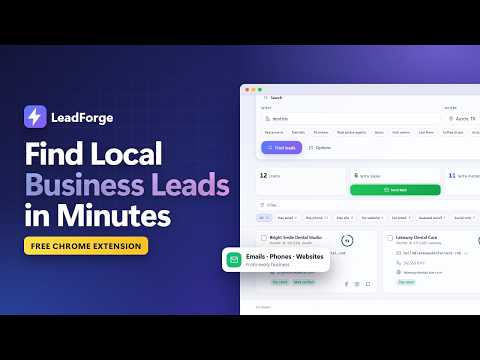
LeadForge is a Google Maps extractor and email finder for Chrome. Search any business type in any city — "dentists in Austin", "gyms in Chennai" — and it builds a list of local businesses with the phone numbers, emails, websites and social profiles they publish. Score them, filter them, and export them to Excel, CSV or your CRM. It runs in Chrome's side panel. No account and no server: your data stays in your own browser. HOW TO USE IT 1. Click the LeadForge icon (or press Alt+Shift+L) to open it beside any page. 2. Type a business type and a place, then press Find leads. 3. Watch the list fill in: every business gets its contact details and a score from 0 to 100. 4. Filter to the prospects you want, then export them — or call, WhatsApp or email straight from the list. A short welcome guides your first search, and pressing ? opens the built-in guide. WHAT YOU GET FOR EVERY BUSINESS • Name, address, phone number, website, rating and review count • Email addresses published on the business's own site • Facebook, Instagram and LinkedIn profiles • A score with plain reasons to pitch: no website, an unclaimed listing, few reviews • The owner's or manager's name, when the business publishes it FIND THE RIGHT PROSPECTS • One town, several towns at once, or a circle drawn on a map • Results from Google Maps, Bing Maps, Yellow Pages and OpenStreetMap, merged and de-duplicated • Filters for rating, reviews, website, ads and more • Every result shown as a pin on a map • Upload your existing list to skip businesses you already have EXPORT AND AUTOMATE • Excel (.xlsx), CSV or JSON, with the columns you choose • A CRM import file and an outreach list for cold outreach tools • Webhooks for Zapier, Make, n8n or Google Sheets • Scheduled re-runs that add only new businesses REACH OUT • Call or WhatsApp in one click — numbers are saved with their country code • Send outreach from your own Zoho mailbox, with a daily limit and an opt-out line in every message • Draft messages with AI using your own key: Claude, OpenAI, Groq, Gemini and more HONEST CONTACT DATA Contact details come from each business's own site. When no address is published, LeadForge can suggest a common one such as info@ — always labelled as a guess — and checks that the mail domain works. PRIVATE BY DESIGN • No account, no sign-up, no subscription • No analytics or tracking; nothing is uploaded to the developer • Back up everything to one file and restore it on any computer WHO IT IS FOR Marketing agencies, web designers, freelancers, sales teams and anyone building B2B prospect lists of local businesses. USE IT RESPONSIBLY LeadForge reads publicly visible pages, the way you would in a browser tab. Those sites have their own terms, and contacting people is regulated (GDPR, CAN-SPAM, CASL and others). You are responsible for how you use the data. LeadForge is an independent tool and is not affiliated with or endorsed by Google.
0 out of 5No ratings
Details
- Version1.1.1
- UpdatedNovember 22, 2026
- Offered bynagipragalathan
- Size256KiB
- LanguagesEnglish (United States)
- Developer
Email
nagipragalathan@gmail.com - Non-traderThis developer has not identified itself as a trader. For consumers in the European Union, please note that consumer rights do not apply to contracts between you and this developer.
Privacy

LeadForge – Google Maps Extractor & Email Finder for Local Leads has disclosed the following information regarding the collection and usage of your data. More detailed information can be found in the developer's privacy policy.
LeadForge – Google Maps Extractor & Email Finder for Local Leads handles the following:
This developer declares that your data is
- Not being sold to third parties, outside of the approved use cases
- Not being used or transferred for purposes that are unrelated to the item's core functionality
- Not being used or transferred to determine creditworthiness or for lending purposes
Support
For help with questions, suggestions, or problems, visit the developer's support site