


Overview
Track contact status across Gmail, Calendar & Meet — CRM-style clarity and a one-time core price, without the bloat or bottlenecks.
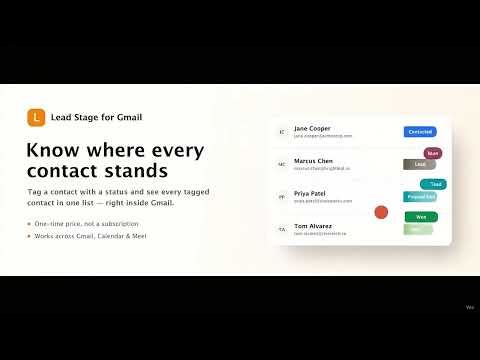
Lead Stage for Gmail lets you tag a contact with a status — Lead, Contacted, Proposal Sent, Won, Lost, or any stage you name — and see every tagged contact in one simple list. No pipelines to configure, no automation to learn, no dashboards to read. Tag a contact, see your list, done. 🔗 Works across Gmail, Calendar & Meet The same tagged-contact list follows you across Gmail, Google Calendar, and Google Meet. Tag someone from an event's guest list or right after a call, and it shows up in Gmail immediately — one shared list, no extra setup between the three. 📍 Tag from anywhere in Gmail - Open email view — a small tag control sits right next to the sender's name. - Inbox list view — tag contacts straight from your inbox list, before you even open their email. Useful for tagging a whole backlog of existing contacts quickly. - Google Calendar — tag any guest right from an event's attendee list. - Google Meet — tag call participants during or after a meeting. 👤 A tag on the contact, not the email thread Tags follow the contact, not the thread — so if they email you again next month under a brand new subject line, their status is still right there next to their name. A Gmail label can't do that; labels attach to messages and threads, not to a person across every conversation you've ever had with them. 💡 Why install Lead Stage for Gmail? If you've ever watched a "simple" Gmail CRM tool grow into something that needs a monthly subscription and a learning curve just to track who you've talked to, Lead Stage is built the opposite way on purpose: - One-time purchase to unlock every paid feature — never a monthly fee for the core tool. - Deliberately narrow: tag a contact, see a list, nothing else bloats the experience over time. - Works on a free @gmail.com account — no Google Workspace required. 🚀 Upgrade once - Custom stages — rename the defaults or add your own for any pipeline: hiring, support, fundraising, whatever you need Lead Stage for. - Bulk status updates — update several contacts' stage in one action, right from Gmail's own inbox checkboxes. - CSV export — take your tagged contacts with you any time: name, email, status, and the date you tagged them. - Unlimited tagged contacts — no more 25-contact cap. 👥 Optional add-on: Team visibility If your team emails the same contacts from separate, individual Gmail accounts, Team Visibility flags it when a teammate has already tagged or reached out to someone — before you send a duplicate email. This requires the one-time purchase first, and is a genuinely separate, optional subscription on top of it — never a replacement, and canceling it never affects your one-time unlock. 🔒 Your data stays on your device Lead Stage runs entirely on your device by default — no server ever sees your tags, contacts, or stages. The one exception is if you specifically turn on Team Visibility, in which case only a contact's email, the stage you tagged them with, and your own email are shared with your team — nothing else, ever, and never your email content.
0 out of 5No ratings
Details
- Version1.0.1
- UpdatedJuly 28, 2026
- FeaturesOffers in-app purchases
- Size417KiB
- LanguagesEnglish
- DeveloperWebsite
Email
contact@extenlabs.com - Non-traderThis developer has not identified itself as a trader. For consumers in the European Union, please note that consumer rights do not apply to contracts between you and this developer.
Privacy

Lead Stage for Gmail has disclosed the following information regarding the collection and usage of your data. More detailed information can be found in the developer's privacy policy.
Lead Stage for Gmail handles the following:
This developer declares that your data is
- Not being sold to third parties, outside of the approved use cases
- Not being used or transferred for purposes that are unrelated to the item's core functionality
- Not being used or transferred to determine creditworthiness or for lending purposes
Support
For help with questions, suggestions, or problems, please open this page on your desktop browser