

Lead Connect
1 rating
)
Overview
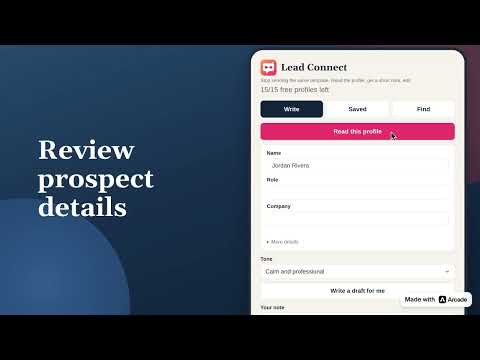
Turn a LinkedIn profile into a short note that sounds like you. Edit it, save the lead, and export Excel or CSV.
Open a LinkedIn profile and get a short note for that person. Change any line, then press Send yourself. The draft uses the profile you are looking at, so it does not sound like a copied template. You decide what gets sent. Save the lead on your computer. Export Excel or CSV, or paste the list into Google Sheets. Try it on the profiles you already have open. Continue only if it earns a place in your day.
5 out of 51 rating
Details
- Version1.16.0
- UpdatedOctober 28, 2026
- FeaturesOffers in-app purchases
- Offered bymoshe.k
- Size111KiB
- LanguagesEnglish (United States)
- DeveloperMOSHE KANDHOROV
HaTsanhanim Street 12 Lod 7131615 ILEmail
leadconnecteam@gmail.comPhone
+1 929-949-6045 - TraderThis developer has identified itself as a trader per the definition from the European Union and committed to only offer products or services that comply with EU laws.
Privacy

Lead Connect has disclosed the following information regarding the collection and usage of your data. More detailed information can be found in the developer's privacy policy.
Lead Connect handles the following:
This developer declares that your data is
- Not being sold to third parties, outside of the approved use cases
- Not being used or transferred for purposes that are unrelated to the item's core functionality
- Not being used or transferred to determine creditworthiness or for lending purposes
Support
For help with questions, suggestions, or problems, please open this page on your desktop browser