Item logo image for Ldrize Next for Search Engine

Ldrize Next for Search Engine

Item media 2 (screenshot) for Ldrize Next for Search Engine
Item video thumbnail
Item media 2 (screenshot) for Ldrize Next for Search Engine
Item video thumbnail
Item media 2 (screenshot) for Ldrize Next for Search Engine

Overview

LDRize Next for Search Engine

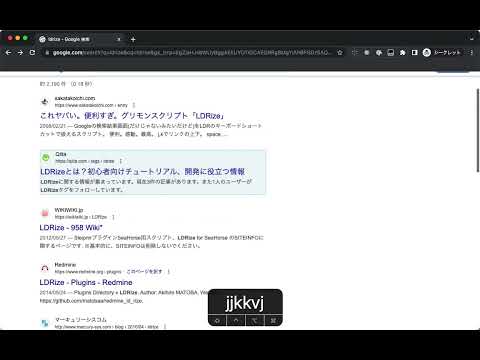
Using this plugin, the operation of Google Search becomes smoother with shortcut keys. You can use the j/k keys to move up and down through search results one by one, and you can also open the search result that is currently in focus with a shortcut. ## Shortcut keys - j : Navigate to the next search item - k : Navigate to the previous search item - v : Open the searched item in the current tab - o : Open the item under the cursor, or any pinned item, in a new tab - p : Pin the searched item

Details

  • Version
    0.0.13
  • Updated
    February 9, 2025
  • Offered by
    Yuki Yano
  • Size
    136KiB
  • Languages
    日本語
  • Developer
    Email
    yuki.ycino@gmail.com
  • Non-trader
    This developer has not identified itself as a trader. For consumers in the European Union, please note that consumer rights do not apply to contracts between you and this developer.

Privacy

The developer has disclosed that it will not collect or use your data.

This developer declares that your data is

  • Not being sold to third parties, outside of the approved use cases
  • Not being used or transferred for purposes that are unrelated to the item's core functionality
  • Not being used or transferred to determine creditworthiness or for lending purposes

Related

BuzzNews Search

0.0

Setting of default search Engine

Google Search Site Switch

0.0

Adds search engines to Google's results page

Use At

5.0

Use @ to search with multiple AI search engines

Sqoo search engine

3.7

New convenient search engine

Google Advanced Search

0.0

Makes the advanced search capabilities easily available on the toolbar

Overload Search - Advanced Google Search

4.4

Overload Search! Fast advanced Google Search

Google Search Flights Button

4.0

Google Search Flights Button: Find Flights Faster

Search the Current Site

2.0

Search the current site using the most popular search engine

SearchGPT

5.0

Sets Search.com as your default search engine

SpigotSearchEngine

5.0

SpigotMC Search Engine

Snappi - Switch Search Engines Instantly

5.0

Switch Search Engines Instantly

Context Search

5.0

Search made easier with context

BuzzNews Search

0.0

Setting of default search Engine

Google Search Site Switch

0.0

Adds search engines to Google's results page

Use At

5.0

Use @ to search with multiple AI search engines

Sqoo search engine

3.7

New convenient search engine

Google Advanced Search

0.0

Makes the advanced search capabilities easily available on the toolbar

Overload Search - Advanced Google Search

4.4

Overload Search! Fast advanced Google Search

Google Search Flights Button

4.0

Google Search Flights Button: Find Flights Faster

Search the Current Site

2.0

Search the current site using the most popular search engine

Google apps