

MillionTabs — AI-Powered Tab Management

Overview
Sorts your open tabs into your own groups, ranks them by priority and keeps closed tabs one search away.
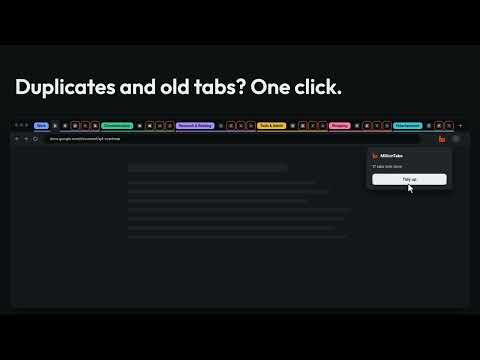
Too many tabs? MillionTabs sorts them into groups you define (work, customers, research, shopping…) and ranks each group, so the tab that matters most is on top. It lives in the side panel, next to the page you are reading. Your own groups: name them after your customers and projects. Move a tab and MillionTabs learns from it. Ranked by what matters: recently used tabs and tabs about your priorities come first. Closed tabs, one search away: every closed tab is remembered locally and can be found and reopened. Tidy up: close duplicates, finished tabs and tabs untouched for a week in one go. Park a project: put a whole group away and bring it back later in its own window. Arrange the tab bar: turn your tabs into colour-coded tab groups. Quick search from anywhere with a keyboard shortcut. Works without AI: choose "Start without AI" and nothing leaves your browser. Built-in rules for well-known sites, your corrections and learned rules still sort your tabs; search, tidy-up and parking keep working. Import and backup: bring in links from OneTab, Session Buddy or any list of addresses as parked projects, and save or restore a backup file on your device. Let idle tabs sleep (optional): long-idle, low-priority tabs are put to sleep with the browser's own discard to free memory. MillionTabs uses TypeSafe's Jev model to understand your tabs. Try the AI sorting free for 3 weeks, no account or key needed; after that, use your own TypeSafe key, or keep using MillionTabs without AI. Private and incognito windows are never read. Page text is optional; mail and banking sites are excluded by default. History, corrections and settings stay in your browser. No account with us, no tracking. Privacy policy: https://milliontabs.de/en/privacy
0 out of 5No ratings
Details
- Version1.2.0
- UpdatedOctober 6, 2026
- Offered bynet positive ventures
- Size72.16KiB
- Languages2 languages
- Developernet positive ventures GmbH
Podbielskistrasse 28 Hannover 30163 DEEmail
info@net-positive.dePhone
+49 1514 0160831 - TraderThis developer has identified itself as a trader per the definition from the European Union and committed to only offer products or services that comply with EU laws.
- D-U-N-S344330785
Privacy

MillionTabs — AI-Powered Tab Management has disclosed the following information regarding the collection and usage of your data. More detailed information can be found in the developer's privacy policy.
MillionTabs — AI-Powered Tab Management handles the following:
This developer declares that your data is
- Not being sold to third parties, outside of the approved use cases
- Not being used or transferred for purposes that are unrelated to the item's core functionality
- Not being used or transferred to determine creditworthiness or for lending purposes
Support
For help with questions, suggestions, or problems, visit the developer's support site