


Overview
Press Shift+Y while watching to save video for keyword search
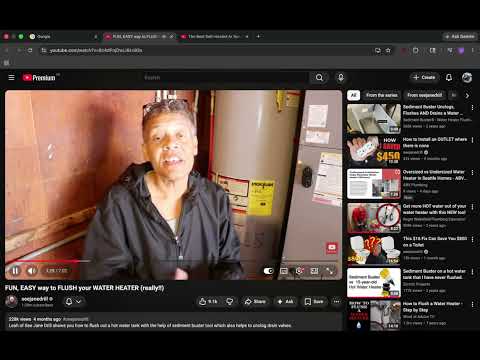
reeLm is external memory for the YouTube videos you've already chosen to keep. You watch a great tutorial. Six months later, you're standing at the problem it solved — but you can't remember which video had the answer. You remember a fragment: "anode rod." A phrase. A name. A specific word that stuck. reeLm finds that moment. Press Shift+Y while watching to save a video. reeLm indexes the full transcript locally. Later, click the icon and type the fragment you remember — every video where it was mentioned comes back, with the exact timestamps. Click one, and you're at the second the speaker said it. How it works 1. Watch YouTube normally. When something's worth keeping, press Shift+Y. 2. reeLm pulls the transcript and stores it on your machine — never uploaded anywhere. 3. Anytime later, click the icon and type a word or phrase you remember. 4. See every saved video where it appears, with timestamps. Click to jump. Why reeLm • Built for the moment you remember the fragment but not the source • Searches across every video in your library, not just the one you're watching • 100% local: transcripts stay on your machine, never leave your device • Text-only storage: no video files. About 50 MB for 1,000 saves. • No account, no API key, no subscription • Scales the way your memory can't: works the same with 50 saves or 5,000 • Free and open source reeLm requires a small local Python server, installable via Homebrew: brew install woodman11/reelm/reelm brew services start reelm Source: https://github.com/Woodman11/reelm
0 out of 5No ratings
Details
- Version1.5
- UpdatedJune 3, 2026
- Size19.3KiB
- LanguagesEnglish
- DeveloperWebsite
Email
kohphayam@gmail.com - Non-traderThis developer has not identified itself as a trader. For consumers in the European Union, please note that consumer rights do not apply to contracts between you and this developer.
Privacy

This developer declares that your data is
- Not being sold to third parties, outside of the approved use cases
- Not being used or transferred for purposes that are unrelated to the item's core functionality
- Not being used or transferred to determine creditworthiness or for lending purposes
Support
For help with questions, suggestions, or problems, visit the developer's support site