

Tabscape
2 ratings
)
Overview
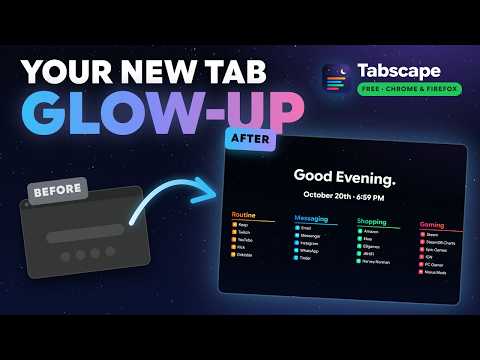
Say hello to productivity: your go-to sites one click away on every new tab, with zero clutter and seriously good looks.
Say hello to productivity. Tabscape turns every new tab into a clean, good-looking start page with the sites you actually use. NEW IN 1.3.0: CUSTOMIZE TO YOUR HEART'S CONTENT • A new settings drawer, with your page in clear view as you change it • 14 built-in fonts, with their own sizes for the greeting, section titles and links • More than one page: switch with the page bar, the arrow keys, a swipe or a scroll • Site icons or your own images next to links, and 8 hover animations • New bookmarks sort themselves into the right section (optional) • Fixed: sync now brings your links to a new computer YOUR LINKS, YOUR WAY • Pick from popular categories on first run (streaming, gaming, social, AI, shopping and more), or start from a ready-made set • Rename sections, recolour them, add and remove links, and drag links between sections • Changes save as you type • Spread your links over as many pages as you like • Bookmark a page and it's sorted into the right section automatically. Move it once and Tabscape remembers A LOOK YOU'LL LIKE • Animated backgrounds drawn live: city lights, rain, starry night, fireflies and snowfall • Gradient wallpapers, or your own image or GIF • Dim and blur controls so your links always stay readable • Fonts and sizes for the greeting, section titles and links • Hover animations: fade, lift, expand, glow, slide, glitch or pixelate • Site icons, or your own image for any link • Put everything at the top, centre or bottom of the screen LITTLE TOUCHES • A greeting with your name, the date and an optional clock • An optional search box (Google, DuckDuckGo or Bing) • Open links in the same tab or a new one PRIVATE BY DESIGN Tabscape has no account and no servers. Your setup lives in your browser and follows you to your other computers through your own Chrome sync, if you want it to. Bookmark sorting and real site icons only ask for permission when you switch them on. Export a backup file any time to keep a copy. SUPPORT AND FEATURE REQUESTS Need help, or have an idea? Join the Tabscape Discord: https://discord.gg/T5bF56tvyj
5 out of 52 ratings
Details
- Version1.3.0
- UpdatedOctober 21, 2026
- Offered byJeay
- Size747KiB
- LanguagesEnglish
- Developer
Email
jeayese@gmail.com - Non-traderThis developer has not identified itself as a trader. For consumers in the European Union, please note that consumer rights do not apply to contracts between you and this developer.
Privacy

This developer declares that your data is
- Not being sold to third parties, outside of the approved use cases
- Not being used or transferred for purposes that are unrelated to the item's core functionality
- Not being used or transferred to determine creditworthiness or for lending purposes
Support
For help with questions, suggestions, or problems, visit the developer's support site