

LAYIQ — Job Application Autofill

Overview
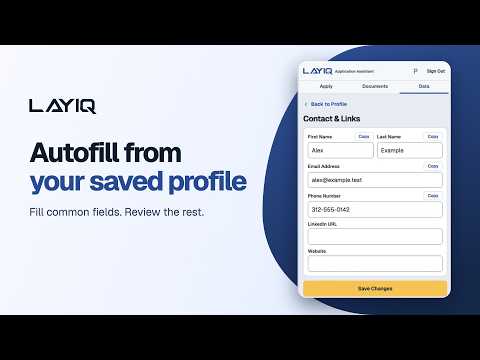
Fill repetitive job application fields with your saved LAYIQ details. Review the remaining questions and submit when ready.
Spend less time retyping the same details on job applications. LAYIQ fills supported fields using the profile and answers you save. Use it for jobs you find on employer websites, job boards, referrals, or LAYIQ. Save supported job postings to LAYIQ Tracker from the side panel and return to them when you’re ready. Base and Pro members can set a follow-up date and receive email or mobile reminders based on their notification settings. Open the employer’s form in desktop Chrome, open the LAYIQ side panel, and allow access to that site. Choose the résumé you want to use and add a cover letter if the employer asks for one. LAYIQ shows which fields or steps need your attention. You can copy saved details from the Data tab, finish fields yourself, and resume assistance on supported steps. Review the employer’s form and press Submit yourself. A LAYIQ account is required. Fit Analysis and document generation are available with eligible plans. LAYIQ currently supports U.S. job applications.
5 out of 51 rating
Details
- Version0.2.40
- UpdatedNovember 24, 2026
- FeaturesOffers in-app purchases
- Size1.26MiB
- LanguagesEnglish (United States)
- DeveloperRoleworthy Labs Inc.Website
2191 Helsminster Dr Dallas, TX 75201-6304 USEmail
support@layiq.coPhone
+1 206-802-4101 - TraderThis developer has identified itself as a trader per the definition from the European Union and committed to only offer products or services that comply with EU laws.
- D-U-N-S145817114
Privacy

LAYIQ — Job Application Autofill has disclosed the following information regarding the collection and usage of your data. More detailed information can be found in the developer's privacy policy.
LAYIQ — Job Application Autofill handles the following:
This developer declares that your data is
- Not being sold to third parties, outside of the approved use cases
- Not being used or transferred for purposes that are unrelated to the item's core functionality
- Not being used or transferred to determine creditworthiness or for lending purposes
Support
For help with questions, suggestions, or problems, visit the developer's support site