

Lapse - Auto-clear old history

Overview
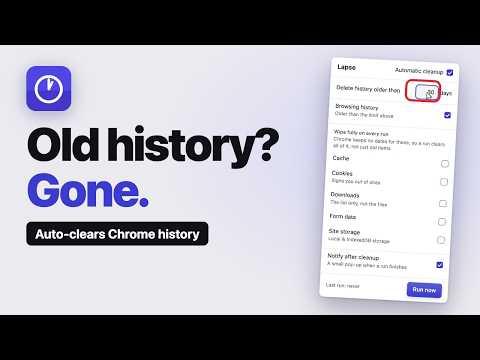
Auto-deletes browsing history older than the days you set. Runs at startup and every 6h. Optional cache, cookie & data clearing.
Disappearing M̶e̶s̶s̶a̶g̶e̶s̶ History. The social apps figured out vanishing messages years ago. Your browser? Still hoarding every page you've ever visited until you go in and clear it by hand. And when you finally do, you nuke the recent stuff you actually wanted to keep. Lapse fixes that. It quietly clears your old browsing history on a schedule, like it was never there, while keeping the recent days you still need for reference. Pick how long history sticks around. The default is 7 days. Anything older gets cleared automatically; anything newer stays put until its time runs out. How it works • Runs when Chrome starts, then every 6 hours while it's open. • Only history follows your day limit. You can optionally have it wipe cache, cookies, downloads, form data, and site storage on each run, but those are off by default. • Turn on a small pop-up to confirm each cleanup, if you like. Private by design Everything happens locally in your browser. Lapse collects nothing, sends nothing, and has no accounts or tracking. The only thing it saves is your settings, kept on your device. No more bulk-deleting. No more wiping the tabs you needed. Just history that ages out on your terms.
0 out of 5No ratings
Details
- Version1.1.0
- UpdatedSeptember 26, 2026
- Offered byPratham
- Size14.29KiB
- LanguagesEnglish
- Developer
Email
lapse_dev@outlook.com - Non-traderThis developer has not identified itself as a trader. For consumers in the European Union, please note that consumer rights do not apply to contracts between you and this developer.
Privacy

This developer declares that your data is
- Not being sold to third parties, outside of the approved use cases
- Not being used or transferred for purposes that are unrelated to the item's core functionality
- Not being used or transferred to determine creditworthiness or for lending purposes