

Lingosive: AI Dual Subtitles — Learn Languages with YouTube & Netflix

Overview
Dual subtitles for language learning on Netflix, YouTube, Disney+, HBO Max & Prime Video. Hover a word to translate, click to save.
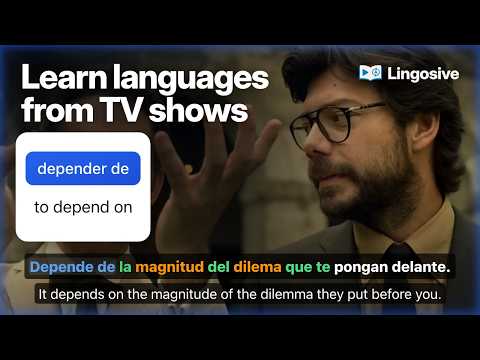
Learn Spanish with Netflix, English with YouTube, or any of 13 languages through the shows you already love. With dual subtitles, the language you are learning sits on top and your own language right below, so you can follow every line and still catch new words. Save the ones that matter and review them later on your phone or computer. More than 30,000 learners use Lingosive on the web, iOS and Android. - Bilingual subtitles: the second line in any of 68 languages, no account needed - Instant translation on hover; the video pauses while your cursor is on the line - Lingosive AI explains what a word means in that exact scene, in your language (free account) - Color-coded progress: known words in green, ones you are learning in blue, harder ones above your level in orange (free account) How it works 1. Open a video on a supported site (listed below). 2. Turn on subtitles in the language you are learning, then press N or use the buttons next to the subtitles to add your translation. 3. Hover to translate. Click to open the word card. 4. Mark it as Known, Learn or Don't Learn. Saved items sync to your account. Features - Word card: translation, base form, difficulty, pronunciation, and example sentences from this video and beyond - Phrasal verbs and idioms are recognized as one unit, and you can save the whole phrase - Grammar box with articles, gender and verb forms for English, German, Spanish, French, Italian, Portuguese and Russian - Film scenes for this word: hear it in real movie and TV clips, found among 50M+ video contexts on lingosive.com (for learners of English, Spanish, Japanese, German and French) - Clickable, timestamped transcript and a word list for what you watch; save any sentence from the transcript - Keyboard controls: previous, repeat and next line (A/S/D or Q/W/E, depending on the site), blur mode and a panel shortcut - Translate selected text on any website, or right-click and choose “Translate with Lingosive” (PDFs too) - 13 languages to learn, translations into 68 languages, interface in 13 languages - Light, dark and system themes Free and Premium Dual subtitles and translation work without an account. With a free account you can save up to 100 words and phrases, see them colored as you watch, ask Lingosive AI 10 times a day and search film scenes for 3 words a day. Premium removes the 100-item cap and the free plan's daily limits on AI explanations and film scene searches. Practice on your phone and on the web Everything you save syncs to your account. Review it with spaced repetition in the Lingosive app for iOS and Android, or in the Learning Center at lingosive.com. The app also includes 400K+ videos and podcasts, plus 15K+ books. Where it works Lingosive is a language learning extension and subtitle translator for Chrome on your computer. It works on YouTube (regular watch pages; not Shorts, live streams or embedded players), Netflix, Disney+, HBO Max and Prime Video (primevideo.com, plus video pages on Amazon in the US, UK, Germany and Japan). It does not work inside phone, tablet or TV apps. Privacy No sign-in is needed to translate. If you create an account, the items you save and your progress are stored in it so they sync between devices. Privacy policy: lingosive.com/en/privacy Questions or ideas: hello@lingosive.com YouTube, Netflix, Disney+, HBO Max and Prime Video are trademarks of their respective owners. Lingosive is not affiliated with these companies.
4.3 out of 560 ratings
Details
- Version2.2.1
- UpdatedNovember 5, 2026
- FeaturesOffers in-app purchases
- Size22.26MiB
- Languages55 languages
- DeveloperWebsite
Email
hello@lingosive.com - Non-traderThis developer has not identified itself as a trader. For consumers in the European Union, please note that consumer rights do not apply to contracts between you and this developer.
Privacy

Lingosive: AI Dual Subtitles — Learn Languages with YouTube & Netflix has disclosed the following information regarding the collection and usage of your data. More detailed information can be found in the developer's privacy policy.
Lingosive: AI Dual Subtitles — Learn Languages with YouTube & Netflix handles the following:
This developer declares that your data is
- Not being sold to third parties, outside of the approved use cases
- Not being used or transferred for purposes that are unrelated to the item's core functionality
- Not being used or transferred to determine creditworthiness or for lending purposes
Support
For help with questions, suggestions, or problems, please open this page on your desktop browser