


Overview
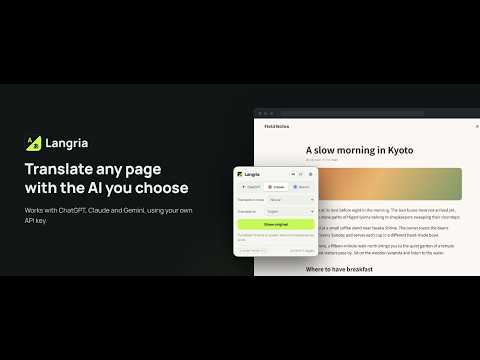
Translate web pages or selected text into any language with ChatGPT, Claude or Gemini, using your own API key.
Langria translates the web page you are viewing — or just the text you select — into the language you want, using the AI service you choose: ChatGPT (OpenAI), Claude (Anthropic) or Gemini (Google). Pages keep their layout, and you can switch back to the original in one click. Langria uses your own API key, and your text goes straight from your browser to that service. A free Gemini API key from Google AI Studio is enough to get started. HOW IT WORKS • Click the toolbar icon and press "Translate this page". Only the text is replaced; the layout stays the same. • What is on screen is translated first, and the rest as you scroll, so long pages start quickly and use less of your API quota. • Content that appears later (for example after "Show more") is translated too. • Press "Show original" or Alt+Shift+T to switch back at any time. • Select text, right-click and choose "Translate … with Langria" to see just that part in a small bubble. FEATURES • Switch between ChatGPT, Claude and Gemini, and set the model for each. • Translate into English, Japanese, Chinese, Korean, Spanish, French, German and many more — or type any language under "Other". • Five translation modes: Faithful, Natural, Business, Casual & social, Technical. • Works well on free API plans: when a service says "too many requests", Langria waits, tries again and spaces out later requests for you. You can also set a per-minute limit yourself. • Input fields, code blocks and elements marked translate="no" are left untouched. • The interface is available in English and Japanese. PRIVACY • No Langria server: the developer never sees your text or your keys. • API keys and settings are stored only in this browser. You can encrypt your API keys with a passkey (Touch ID, etc.) or a passphrase. • Langria can read a tab only after you ask it to translate that tab. • No analytics, no tracking, no ads. REQUIREMENTS An API key for at least one of OpenAI, Anthropic or Google Gemini (Google AI Studio). API usage is billed by each service according to its pricing; Gemini offers a free tier. Langria is an independent project and is not affiliated with or endorsed by OpenAI, Anthropic or Google. Source code: https://github.com/shigeya-t/Langria
0 out of 5No ratings
Details
- Version1.0.4
- UpdatedOctober 14, 2026
- Size54.83KiB
- Languages2 languages
- DeveloperWebsite
Email
frog.fisherman.store@gmail.com - Non-traderThis developer has not identified itself as a trader. For consumers in the European Union, please note that consumer rights do not apply to contracts between you and this developer.
Privacy

Langria – AI Web Page Translator has disclosed the following information regarding the collection and usage of your data. More detailed information can be found in the developer's privacy policy.
Langria – AI Web Page Translator handles the following:
This developer declares that your data is
- Not being sold to third parties, outside of the approved use cases
- Not being used or transferred for purposes that are unrelated to the item's core functionality
- Not being used or transferred to determine creditworthiness or for lending purposes
Support
For help with questions, suggestions, or problems, visit the developer's support site