

LabSaver - Lab Result Exporter

Overview
Export lab results from multiple providers to Google Sheets.
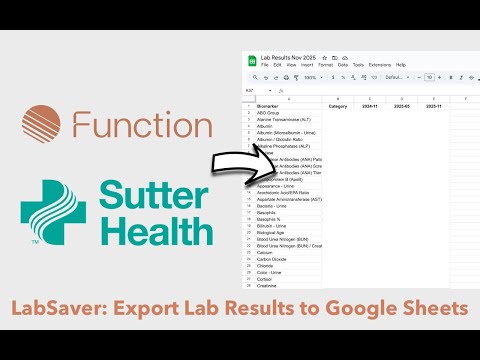
LabSaver makes it easy to export your lab results from Function Health and Sutter Health directly to Google Sheets, giving you complete control over your health data. KEY FEATURES ✅ Export lab results from Function Health and Sutter Health ✅ Direct Google Sheets integration ✅ One-click export process ✅ Organize and track results over time ✅ Privacy-focused - no data stored by the extension HOW IT WORKS 1. Log into your Function Health or Sutter Health account 2. Navigate to test results. An "Export Labs" will appear. 2. Click the "Export Labs" button at the top of the page. 3. Authorize Google Sheets access (one time) 4. Your results are instantly exported to your spreadsheet PRIVACY & SECURITY ✅ All data processing happens locally in your browser ✅ Results go directly to YOUR Google Sheets account ✅ You maintain complete control of your health data ❌ No data collection or storage on our servers WHAT GETS EXPORTED? - Test names and values - Units of measurement - Reference ranges - Out-of-range indicators - Test dates and timestamps - Provider information - LOINC codes for standardization where possible FEATURE DETAILS 1. Comprehensive Data Export - All lab results with complete history - Reference ranges and normal values - Test dates and ordering information - Organized into multiple sheets for easy analysis 2. Smart Organization - Labs from both services can be saved in one Google Sheet - Creates a Contents overview tab of what is included - Creates 4 sheets of data: Export, Definitions, Latest, Table view - Makes it easy to share with your doctor or favorite LLM 3. One-Click Export - Simple button appears on Function Health and Sutter Health pages - Automatic Google authentication - Progress tracking during export WHAT GETS ADDED TO GOOGLE SHEETS: 1. Function Health export: - FH_Values: All lab results with full history - FH_Definitions: Biomarker definitions and reference ranges - FH_Latest: Most recent value for each biomarker - FH_Table: Pivot table view (biomarkers × dates) - FH_Grouped: Results grouped by category 2. Sutter Health export: - SH_Values: All lab results with full history - SH_Definitions: Biomarker definitions and reference ranges - SH_Latest: Most recent value for each biomarker - SH_Table: Pivot table view (biomarkers × dates) - SH_Grouped: Results grouped by category
0 out of 5No ratings
Details
- Version2.3.1
- UpdatedJune 15, 2026
- Offered byeric.shoup
- Size52.63KiB
- LanguagesEnglish
- Developer
Email
eric.shoup@gmail.com - Non-traderThis developer has not identified itself as a trader. For consumers in the European Union, please note that consumer rights do not apply to contracts between you and this developer.
Privacy

LabSaver - Lab Result Exporter has disclosed the following information regarding the collection and usage of your data. More detailed information can be found in the developer's privacy policy.
LabSaver - Lab Result Exporter handles the following:
This developer declares that your data is
- Not being sold to third parties, outside of the approved use cases
- Not being used or transferred for purposes that are unrelated to the item's core functionality
- Not being used or transferred to determine creditworthiness or for lending purposes