


Overview
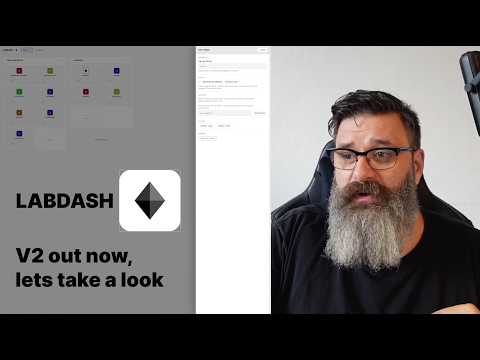
Homelab new-tab dashboard: apps, servers, network map, domains and Uptime-Kuma status in pages — drag-and-drop, icons, status.
LabDash is a lightweight, no-nonsense homepage for homelab owners who just want a clean launcher. No graphs, no noisy widgets — just a fast, organised way to jump to the services you run and keep them tidy. Why LabDash? I wanted a simple, easy-to-use dashboard: one place for links to all my services, organized into pages and groups, with quick editing and nice icons. That's it. Four page types - Apps: a board of square, touch-friendly tiles, sectioned into groups. - Network: a draggable mind-map of your devices, subnets and links. - Domains: a table of your domains — registrar, DNS, renewals, subdomains and mailboxes. - Uptime Kuma: a live status board powered by your own Uptime Kuma instance. Key features - App-style tiles: square, touch-friendly tiles that feel like a launcher. - Pages & groups: create multiple pages and section them with groups; drag to reorder pages, groups and tiles. - Per-link status: optional reachability dots (online / unhealthy / offline) for each link. - Dark mode: a clean charcoal theme with clear, visible outlines. - Flexible icons: Logo.dev by domain (optional key), paste any image URL, or upload your own PNG/JPG/WebP. No icon set? A tile simply shows the app's first letter. - Backup & restore: one-click Export / Import JSON of your entire dashboard. - Reset: easily start fresh (with confirmation). - Offline-friendly: everything is stored locally in your browser. How it works - Create a page — Apps, Network, Domains or Uptime Kuma — then add groups on Apps pages. - Add links with a title, URL and icon; optionally tag the host server. - Edit any tile with its pencil (or double-click); reorder anything by dragging. - Export your setup to JSON for a backup; Import to restore. Privacy & permissions - Your data stays on your device. LabDash uses chrome.storage.local to save pages, groups, links and preferences. - No accounts, no analytics, no trackers. - Network requests only happen when you open a link, run a status check, load the Uptime Kuma embed, or choose an icon source that loads an image (Logo.dev or a custom image URL). Optional: Logo.dev integration - If you add your Logo.dev publishable token in Settings, LabDash can fetch crisp brand icons by domain (e.g., example.com). - When enabled, you'll see the required attribution ("Logos provided by Logo.dev") in the corner. Updates are safe: LabDash migrates older saved setups automatically, so updating the extension never removes your pages, groups, links or settings.
5 out of 51 rating
Details
- Version1.1.2
- UpdatedAugust 5, 2026
- Size91.81KiB
- LanguagesEnglish
- DeveloperWebsite
Email
support@businessdaddy.org - Non-traderThis developer has not identified itself as a trader. For consumers in the European Union, please note that consumer rights do not apply to contracts between you and this developer.
Privacy

This developer declares that your data is
- Not being sold to third parties, outside of the approved use cases
- Not being used or transferred for purposes that are unrelated to the item's core functionality
- Not being used or transferred to determine creditworthiness or for lending purposes
Support
For help with questions, suggestions, or problems, visit the developer's support site