

SUPERWEAVY
3 ratings
)
Overview
SuperNodes and canvas tools for Figma Weave: color grading, masking, routing, a 3D camera prompt and faster editing.
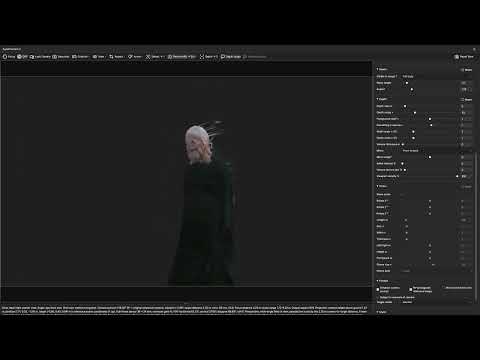
SUPERWEAVY adds SuperNodes, canvas tools and workflow utilities to Figma Weave. Every feature has its own switch, plain Weave nodes are never changed, and every edit is a single Undo step. SUPERNODES • SuperColor: Color Correction with film and print emulation, bloom, halation and grain, mask inputs, and a full-screen Grading View for images and video. • SuperPainter: Clone and editable Bézier masks in one Painter node, with separate Result and Mask outputs. • SuperRouter: live preview, a switcher for up to 32 inputs, and named Transmit/Receive links that keep large graphs tidy. • SuperCamera: a 3D camera that writes the camera prompt for you, covering angle, distance, lens, focal length, aperture, depth of field and roll, with saved Shots. Bake any SuperNode into plain Weave nodes to share a workflow with people who don't use the extension. CANVAS AND EDITING • Linked node instances whose settings follow a parent • Proportional resizing, minimizing, node colors and larger node text • Shake to disconnect, Shift-drag into wires, Recreate node, double-click to reset a setting • Shift+click multi-select, nested group dragging and math in numeric fields • Customizable shortcuts for preview, bypass, minimize, collapse wires, rename, media import and more SPEED Super Drag and Super Pan reduce lag on large workflows. An optional FPS counter helps you compare settings. OPTIONAL EFFECTS Animated wire styles, node border trails and preview effects. All are off by default. PRIVACY SUPERWEAVY needs only Chrome's storage permission and runs only on Weave pages. It never sends your workflows, prompts, images or account details anywhere. A built-in user guide and health check are available from the popup. Film and print data are derived from spektrafilm by Andrea Volpato; license notices are included. SUPERWEAVY is an independent extension and is not affiliated with or endorsed by Figma. WHAT’S NEW IN 3.0.1 • Fixed inconsistent SuperColor 2 naming between compact and full views. • Fixed global Reset to reset Primaries and all finishing effects together. • Added World grid below Background in SuperCamera’s View menu, with working toggling in Camera View. • Updated the starting direction of new facing arrows. • Camera help now waits one second before appearing. • Fixed resizing and Reset size for long Text nodes. WHAT’S NEW IN 3.0.2 • Restored saved node colours after the latest Weave update. • Group resize-handle double-click now fits the frame to its contents, with Undo/Redo. • Improved resizing, minimising and SuperCamera/SuperColor layouts. • Fixed SuperRouter Preview and Switcher panel placement. • Cleaner About tab and compact release highlights. Permissions and site access are unchanged. Saved Shots were verified to retain arrow position, rotation and scale. Permissions and site access are unchanged. What's new in SUPERWEAVY 3.0.3 • Fixed Prompt and text nodes refusing to shrink after being enlarged. • Text keeps its normal font size while dragging a resize handle. • Fixed image nodes retaining an enlarged minimum size. • Fixed menu labels disappearing when hovered or focused. • Diagnostics distinguish Chrome, Brave and Chromium when browser branding is available. • Temporarily hides Super Type and Super Select and keeps both off. What’s new in SUPERWEAVY v3.0.4 *Fixed wires jumping away from sockets when toggling SUPERWEAVY. *Updated resize handles for the latest Weave layout, including socket alignment, minimum sizes, double-click reset and Undo. *Fixed SuperRouter Switcher reconnection and improved Undo/Redo reliability. *Fixed false input-type warnings for SuperCamera Depth and Viewport outputs. *Updated sliders and number fields to match Weave’s current controls. *SuperPainter retains the selected tool after toolbar redraws and tab refreshes. Fixed SuperColor video-socket feedback and cleanup when deleting and reconnecting nodes. Permissions and site access are unchanged.
5 out of 53 ratings
Details
- Versionv3.0.4
- UpdatedOctober 27, 2026
- Size4.39MiB
- LanguagesEnglish
- Developer
Email
hakagbalian@gmail.com - Non-traderThis developer has not identified itself as a trader. For consumers in the European Union, please note that consumer rights do not apply to contracts between you and this developer.
Privacy

SUPERWEAVY has disclosed the following information regarding the collection and usage of your data. More detailed information can be found in the developer's privacy policy.
SUPERWEAVY handles the following:
This developer declares that your data is
- Not being sold to third parties, outside of the approved use cases
- Not being used or transferred for purposes that are unrelated to the item's core functionality
- Not being used or transferred to determine creditworthiness or for lending purposes